Chart position — tracked daily by LaunchShots
Screenshot changes — detected by LaunchShots
Screenshot style breakdown
Sampled from 4 of ニンジャマイルズ - キーボードポイ活's App Store screenshots — background, accent and theme, measured by LaunchShots (not something Apple publishes).
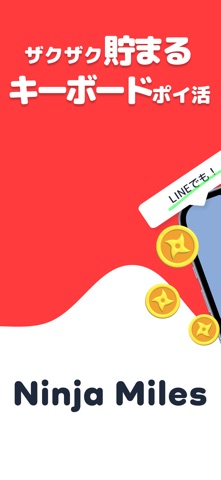
#FC3C3C bg
#FC5757
#8CACDC accent
#FFFFFF text
Screenshots


Icon palette
About this app
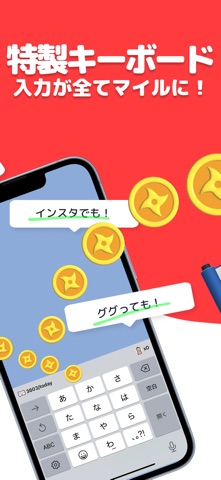
忙しいあなたに新しいポイ活のカタチ!「Ninja Miles」で毎日の文字入力をおトクに変えよう! こんにちは!「ポイ活って気になるけど、なんだか面倒くさそう…」と思っているそこのあなた!それならぜひ「Ninja Miles」を試してみてください! 私たちのアプリは、あなたが普段使っているキーボードをちょっと変えるだけで、どんどんマイルが貯まっちゃう新しいポイ活サービスです。使い方はめちゃくちゃ簡単なのに、特典はたくさん!ここで詳しくご紹介します。 どうやってマイルを貯めるの? 「Ninja Miles」の秘密は、アプリで提供される特製キーボード。これを一度設定すれば、あなたが入力する文字数に応じてどんどんマイルが貯まっていきます!SNSでの投稿や友達とのチャット、メール、メモ書き…とにかく何でもOK。 普段何気なく使っているキーボードで、お得にマイルをゲットできるなんて、画期的だと思いませんか? 友達にシェアして、もっとマイルをゲット! 「Ninja Miles」の良いところはそれだけじゃありません。アプリを友達に紹介することで、あなたも…
App details
What you can learn from ニンジャマイルズ - キーボードポイ活
Every shipping app on the App Store has gone through the same decisions you're working through right now: which screenshot goes first, what caption sits over it, which device frame to show, what color the background should be. The 4 screenshots above are ニンジャマイルズ - キーボードポイ活's answers to those questions — they're public, they're real, and they made it through Apple's review.
What the numbers say: ニンジャマイルズ - キーボードポイ活 runs a mixed light-and-dark set where the background shifts from screenshot to screenshot (first shot #FC3C3C) — each image has to stand on its own, so the captions carry more of the story. The accent colour we picked up, #8CACDC, is the one to reuse for badges, arrows and highlighted words if you borrow this look. Hit Use this style to open the editor with these exact colours and drop your own screenshot in.
Notice the first screenshot in particular. It's the one users see in search results and on the product page, and it's where most apps spend their best caption and tightest design. Look at the proportion of background to phone, where the text sits, what one thing the image is trying to communicate.
Want to see how other Lifestyle apps approach the same problem? Browse more Lifestyle apps in the showcase.
Take what works into your own screenshots
Open LaunchShots and design your App Store & Google Play screenshots — pick a device frame, drop captions, ship in minutes. Free, in your browser.
Open the screenshot editor →Apps with a similar look
Closest background + accent colours among the listings we've analysed — useful when you want to see the same palette handled by a different team.