Screenshots


Icon palette
About this app
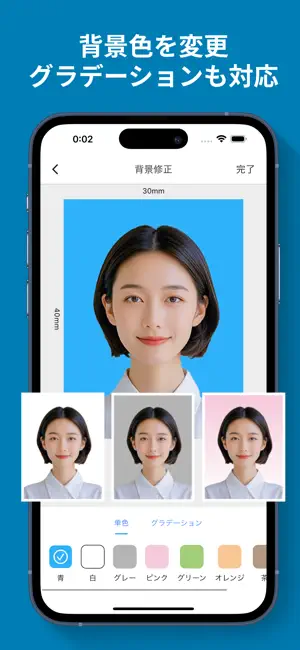
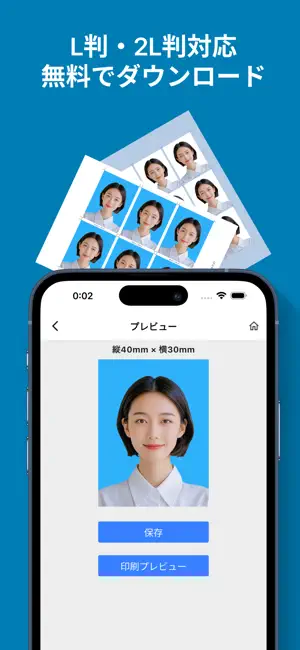
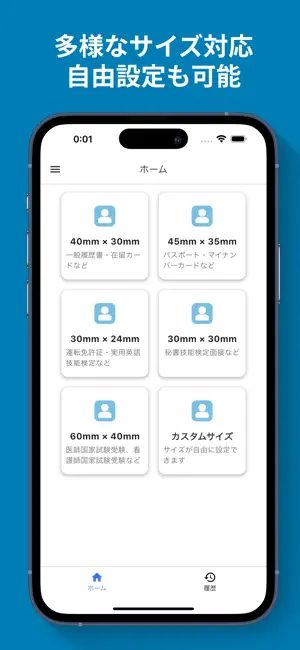
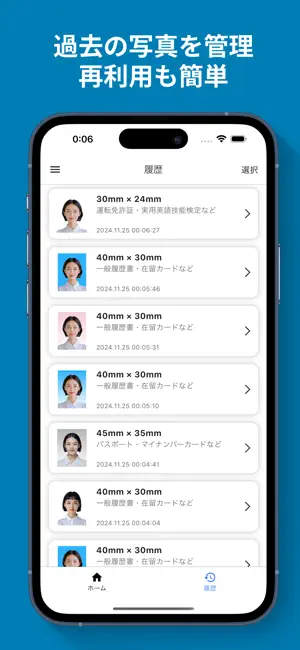
【簡単・無料でプロ品質の証明写真を作成!】 履歴書やパスポート、マイナンバーカード、運転免許証など、あらゆる用途に対応した証明写真を、スマホひとつで簡単に作成できます。 【主な機能】 ・背景の自動削除・変更 ワンタップで背景を取り除き、白、青、グレーなどに簡単変更可能。 ・写真の細かい調整が可能 明るさ、コントラスト、彩度を調整して、自分好みの仕上がりに。 ・幅広いサイズに対応 日本国内でよく使用される証明写真サイズを網羅: - 縦40×横30mm(履歴書、在留カード用) - 縦45×横35mm(パスポート、マイナンバーカード用) - 縦30×横24mm(運転免許証用) - その他、自由にサイズを設定可能。 ・L版・LL版対応 出来上がったデータはL版(127mm×89mm)やLL版(178mm×127mm)で保存し、コンビニや自宅のプリンターで印刷できます。 ・完全無料 写真はすべて無料でダウンロードできます。印刷する場合は、コンビニや自宅のプリンタでの印刷代のみご負担ください。 【こんな方におすすめ】 ・自宅やコンビニで…
App details
What you can learn from 証明写真 - 履歴書・パスポート写真作成
Every shipping app on the App Store has gone through the same decisions you're working through right now: which screenshot goes first, what caption sits over it, which device frame to show, what color the background should be. The 6 screenshots above are 証明写真 - 履歴書・パスポート写真作成's answers to those questions — they're public, they're real, and they made it through Apple's review.
Notice the first screenshot in particular. It's the one users see in search results and on the product page, and it's where most apps spend their best caption and tightest design. Look at the proportion of background to phone, where the text sits, what one thing the image is trying to communicate.
Want to see how other Photo & Video apps approach the same problem? Browse more Photo & Video apps in the showcase.
Take what works into your own screenshots
Open LaunchShots and design your App Store & Google Play screenshots — pick a device frame, drop captions, ship in minutes. Free, in your browser.
Open the screenshot editor →