Screenshot changes — detected by LaunchShots
Screenshot style breakdown
Sampled from 4 of Rulebook App's App Store screenshots — background, accent and theme, measured by LaunchShots (not something Apple publishes).
#EC0404 bg
#EE2727
#CC543C accent
#FFFFFF text
Screenshots


iPad screenshots

Icon palette
About this app
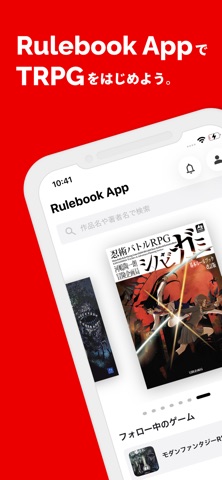
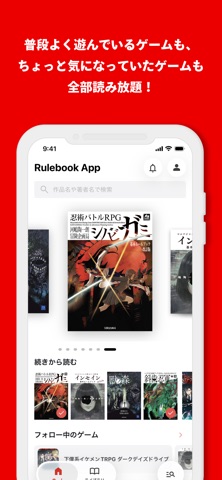
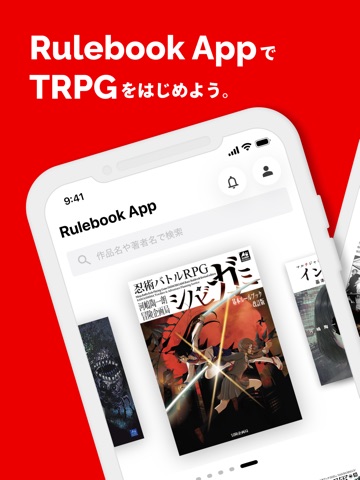
Rulebook Appでは、TRPGのルールブックが読み放題! 誌面に加えて、文字起こしテキストを読むことができ、そのテキストの一部はコピーすることもできます。 ● Rulebook App の特徴 1. TRPGのルールブック、サプリメント、シナリオ集をいつでもどこでも閲覧できます。 2. 目次や索引、ブックマークから目的のページにすぐ飛べます。 3. 文字起こしテキストを閲覧でき、テキストの一部はコピーすることができます。 4. ブック内でキーワード検索ができます。 5. 対話モードでゲームのルールについて質問することができます。(一部の対応作品のみ) ● 対応作品 『忍術バトルRPG シノビガミ』 『マルチジャンル・ホラーRPG インセイン』 『リアリティーショーRPG キルデスビジネス』 『下僕系イケメンTRPG ダークデイズドライブ』 『星と宝石と人形のTRPG スタリィドール』 『モダンファンタジーTRPG 獸ノ森』 『逆転計略TRPG 天才軍師になろう』 (2026年6月現在) 今後も対応作品を追加予定です!
App details
What you can learn from Rulebook App
Every shipping app on the App Store has gone through the same decisions you're working through right now: which screenshot goes first, what caption sits over it, which device frame to show, what color the background should be. The 6 screenshots above are Rulebook App's answers to those questions — they're public, they're real, and they made it through Apple's review.
What the numbers say: Rulebook App runs a dark set with one background colour (#EC0404) carried across every screenshot — the listing reads as a single poster when the shots sit side by side in search results. The accent colour we picked up, #CC543C, is the one to reuse for badges, arrows and highlighted words if you borrow this look. Hit Use this style to open the editor with these exact colours and drop your own screenshot in.
Notice the first screenshot in particular. It's the one users see in search results and on the product page, and it's where most apps spend their best caption and tightest design. Look at the proportion of background to phone, where the text sits, what one thing the image is trying to communicate.
Want to see how other Book apps approach the same problem? Browse more Book apps in the showcase.
Take what works into your own screenshots
Open LaunchShots and design your App Store & Google Play screenshots — pick a device frame, drop captions, ship in minutes. Free, in your browser.
Open the screenshot editor →Apps with a similar look
Closest background + accent colours among the listings we've analysed — useful when you want to see the same palette handled by a different team.