Screenshot changes — detected by LaunchShots
Screenshot style breakdown
Sampled from 6 of TUDU: YKS, TYT, AYT Soru Çöz's App Store screenshots — background, accent and theme, measured by LaunchShots (not something Apple publishes).
#FCFCFC bg
#DDDDDD
#344CC4 accent
#111111 text
Screenshots





iPad screenshots




Icon palette
About this app
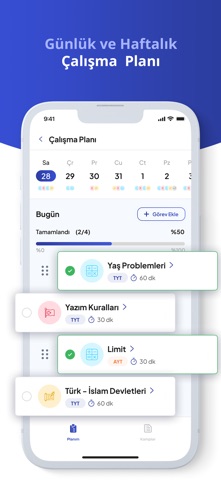
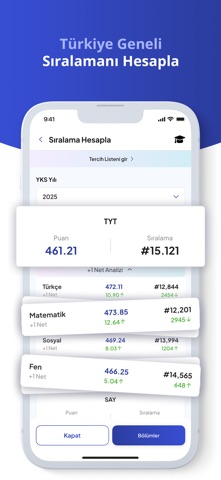
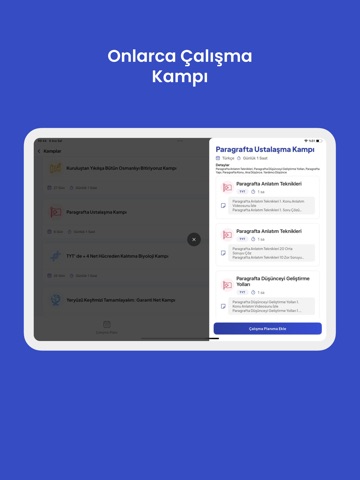
Tudu, sınava hazırlanan binlerce öğrencinin tercih ettiği, ve sade arayüzlü bir çalışma planı ve test çözme uygulamasıdır. TYT, AYT ve YKS gibi önemli sınavlara hazırlanırken ihtiyacın olan her şeyi bir araya getirir: ders programı, konu takibi, deneme sınavı analizi, günlük çalışma hedefleri ve daha fazlası. İster TYT Matematik çalış, ister AYT Türkçe konu tekrarına odaklan, Tudu seni yalnız bırakmaz. Hem zamandan kazanmanı sağlar hem de daha verimli çalışmanı destekler. Tudu ile Neler Yapabilirsin? ÖSYM Ayarında Sorular: TUDU'daki sorular, MEB'in en güncel müfredatı dikkate alınarak gerçek TYT ve AYT'ye uygun şekilde hazırlanır. Tududaki sorular hem tüm kazanımları kapsar hem de yeni nesildir. Adım Adım Çözümler: Her sorunun çözümü, en ince ayrıntısına kadar açıklanır. Yanlışlarını anında görmen hiç bu kadar kolay olmamıştı. Kendine özel çalışma programı oluştur. Konulara göre es…
App details
What you can learn from TUDU: YKS, TYT, AYT Soru Çöz
Every shipping app on the App Store has gone through the same decisions you're working through right now: which screenshot goes first, what caption sits over it, which device frame to show, what color the background should be. The 15 screenshots above are TUDU: YKS, TYT, AYT Soru Çöz's answers to those questions — they're public, they're real, and they made it through Apple's review.
What the numbers say: TUDU: YKS, TYT, AYT Soru Çöz runs a light set with one background colour (#FCFCFC) carried across every screenshot — the listing reads as a single poster when the shots sit side by side in search results. The accent colour we picked up, #344CC4, is the one to reuse for badges, arrows and highlighted words if you borrow this look. Hit Use this style to open the editor with these exact colours and drop your own screenshot in.
Notice the first screenshot in particular. It's the one users see in search results and on the product page, and it's where most apps spend their best caption and tightest design. Look at the proportion of background to phone, where the text sits, what one thing the image is trying to communicate.
Want to see how other Education apps approach the same problem? Browse more Education apps in the showcase.
Take what works into your own screenshots
Open LaunchShots and design your App Store & Google Play screenshots — pick a device frame, drop captions, ship in minutes. Free, in your browser.
Open the screenshot editor →Apps with a similar look
Closest background + accent colours among the listings we've analysed — useful when you want to see the same palette handled by a different team.