Chart position — tracked daily by LaunchShots
Screenshot style breakdown
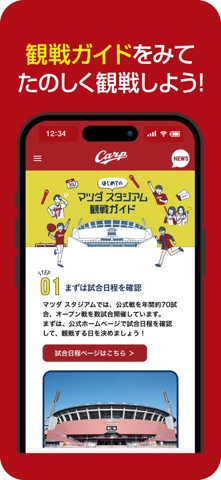
Sampled from 5 of 【カープ公式】Carp ID's App Store screenshots — background, accent and theme, measured by LaunchShots (not something Apple publishes).
#B40C14 bg
#BE2E34
#04449C accent
#FFFFFF text
Reading the caption text from the screenshots in your browser…
Screenshots


Icon palette
About this app
広島東洋カープに関するコンテンツがたくさんつまった公式アプリです。 【カープ情報をアプリひとつでバッチリ確認!】 最新のニュースや試合日程などのカープ情報は、アプリで手軽に確認できます。 【新商品やチケット情報をプッシュ通知で素早くゲット】 見逃しがちな新商品グッズの発売や追加試合のチケット販売などをプッシュ通知で教えてくれるから、買い忘れる心配がなくなります! 【チケット購入やQRコード表示も簡単にできる】 アプリ初回起動時にログインすれば、面倒なCarp IDやパスワードの入力なしでチケットの購入ができます! 電子チケットのQRコードもラクラク表示でき、お友達などへの分配もアプリで完結! 【試合観戦をより楽しく、より便利に】 観戦ガイドもあるので初観戦でも安心! 球場へのアクセスや場内案内、グルメ情報が盛りだくさん! 豊富なスタジアムグルメでお腹を満たし、全力でカープを応援しよう! ≪主な機能説明≫ ■チケット購入 カープオンラインチケットからチケットが購入できます。 話題の電子チケットもご利用可能です。 ■MY…
App details
What you can learn from 【カープ公式】Carp ID
Every shipping app on the App Store has gone through the same decisions you're working through right now: which screenshot goes first, what caption sits over it, which device frame to show, what color the background should be. The 5 screenshots above are 【カープ公式】Carp ID's answers to those questions — they're public, they're real, and they made it through Apple's review.
What the numbers say: 【カープ公式】Carp ID runs a dark set with one background colour (#B40C14) carried across every screenshot — the listing reads as a single poster when the shots sit side by side in search results. The accent colour we picked up, #04449C, is the one to reuse for badges, arrows and highlighted words if you borrow this look. Hit Use this style to open the editor with these exact colours and drop your own screenshot in.
Notice the first screenshot in particular. It's the one users see in search results and on the product page, and it's where most apps spend their best caption and tightest design. Look at the proportion of background to phone, where the text sits, what one thing the image is trying to communicate.
Want to see how other Sports apps approach the same problem? Browse more Sports apps in the showcase.
Take what works into your own screenshots
Open LaunchShots and design your App Store & Google Play screenshots — pick a device frame, drop captions, ship in minutes. Free, in your browser.
Open the screenshot editor →Apps with a similar look
Closest background + accent colours among the listings we've analysed — useful when you want to see the same palette handled by a different team.