Screenshot style breakdown
Sampled from 3 of 快喵加速器- VPN快喵智能网络加速代理's App Store screenshots — background, accent and theme, measured by LaunchShots (not something Apple publishes).
#1C1454 bg
#3B346B
#54449C accent
#FFFFFF text
- #2XY) » 绪 ”多 个 芳 点 使 用
Captions read from the screenshots (OCR, may contain small errors): 1 headline, 9 words on average (longest 9), mostly ALL CAPS.
Screenshots
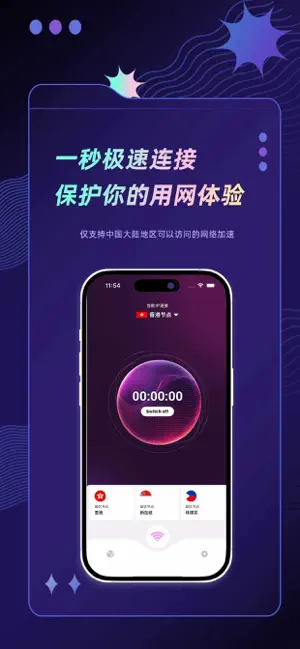
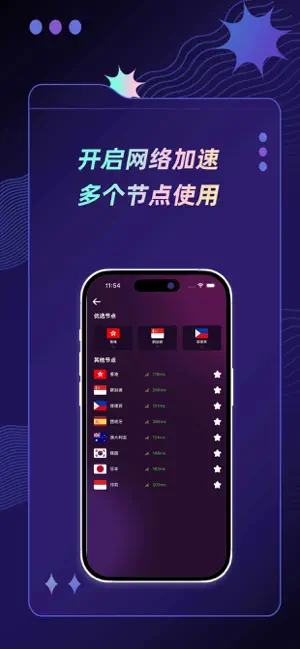

Icon palette
About this app
一种高效的技术工具,通过优化数据传输路径、减少网络延迟,为用户提供更流畅、更快速的上网体验。无论是日常浏览、在线办公还是游戏娱乐,加速器都能显著改善连接质量。 - 裂隙路由:利用先进的算法实时探测并建立最优路径,避开网络繁忙路段,提供最短延迟和最高稳定性。 - 沉浸增强:特别针对多媒体流和在线游戏进行了优化,减少卡顿和延迟,让您的娱乐体验更加身临其境。 - 隐私护盾:采用军级加密技术,保护您的每一次连接,确保数据传输的安全性和私密性。 - 瞬时激活:一键启动加速功能,瞬间提升网络性能,即使在复杂的网络环境下也能立即感受到显著改善。
App details
What you can learn from 快喵加速器- VPN快喵智能网络加速代理
Every shipping app on the App Store has gone through the same decisions you're working through right now: which screenshot goes first, what caption sits over it, which device frame to show, what color the background should be. The 3 screenshots above are 快喵加速器- VPN快喵智能网络加速代理's answers to those questions — they're public, they're real, and they made it through Apple's review.
What the numbers say: 快喵加速器- VPN快喵智能网络加速代理 runs a dark set with one background colour (#1C1454) carried across every screenshot — the listing reads as a single poster when the shots sit side by side in search results. The accent colour we picked up, #54449C, is the one to reuse for badges, arrows and highlighted words if you borrow this look. Hit Use this style to open the editor with these exact colours and drop your own screenshot in.
Notice the first screenshot in particular. It's the one users see in search results and on the product page, and it's where most apps spend their best caption and tightest design. Look at the proportion of background to phone, where the text sits, what one thing the image is trying to communicate.
Want to see how other Reference apps approach the same problem? Browse more Reference apps in the showcase.
Take what works into your own screenshots
Open LaunchShots and design your App Store & Google Play screenshots — pick a device frame, drop captions, ship in minutes. Free, in your browser.
Open the screenshot editor →Apps with a similar look
Closest background + accent colours among the listings we've analysed — useful when you want to see the same palette handled by a different team.