Chart position — tracked daily by LaunchShots
Screenshot changes — detected by LaunchShots
Screenshot style breakdown
Sampled from 6 of Lebull - Zakłady Bukmacherskie's App Store screenshots — background, accent and theme, measured by LaunchShots (not something Apple publishes).
#040C14 bg
#272E34
#047CB4 accent
#FFFFFF text
Screenshots




Icon palette
About this app
W aplikacji Lebull znajdziesz zarówno zakłady przedmeczowe, jak i zakłady live, dzięki czemu możesz obstawiać dokładnie tak, jak lubisz. Jeśli analizujesz spotkania wcześniej, masz czas na spokojne porównanie kursów i zbudowanie kuponu. Jeśli wolisz emocje na żywo, możesz reagować na przebieg meczu w czasie rzeczywistym i korzystać z dynamicznie zmieniającej się oferty. To rozwiązanie dla graczy, którzy chcą mieć pełną kontrolę nad swoim typowaniem i lubią być blisko sportowych wydarzeń od pierwszego do ostatniego gwizdka. Lebull stawia też na funkcje, które realnie poprawiają komfort gry. Jedną z nich jest cashout, czyli możliwość wcześniejszego rozliczenia zakładu. To przydatne wtedy, gdy chcesz zabezpieczyć wynik albo zareagować na zmianę sytuacji w meczu. Zamiast biernie czekać do końca spotkania, możesz podjąć decyzję wcześniej i samodzielnie zarządzać kuponem. Dla wielu użytkowni…
App details
What you can learn from Lebull - Zakłady Bukmacherskie
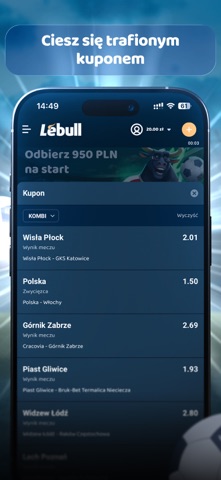
Every shipping app on the App Store has gone through the same decisions you're working through right now: which screenshot goes first, what caption sits over it, which device frame to show, what color the background should be. The 7 screenshots above are Lebull - Zakłady Bukmacherskie's answers to those questions — they're public, they're real, and they made it through Apple's review.
What the numbers say: Lebull - Zakłady Bukmacherskie runs a dark set with one background colour (#040C14) carried across every screenshot — the listing reads as a single poster when the shots sit side by side in search results. The accent colour we picked up, #047CB4, is the one to reuse for badges, arrows and highlighted words if you borrow this look. Hit Use this style to open the editor with these exact colours and drop your own screenshot in.
Notice the first screenshot in particular. It's the one users see in search results and on the product page, and it's where most apps spend their best caption and tightest design. Look at the proportion of background to phone, where the text sits, what one thing the image is trying to communicate.
Want to see how other Sports apps approach the same problem? Browse more Sports apps in the showcase.
Take what works into your own screenshots
Open LaunchShots and design your App Store & Google Play screenshots — pick a device frame, drop captions, ship in minutes. Free, in your browser.
Open the screenshot editor →Apps with a similar look
Closest background + accent colours among the listings we've analysed — useful when you want to see the same palette handled by a different team.