Screenshot style breakdown
Sampled from 5 of LoveAI键盘's App Store screenshots — background, accent and theme, measured by LaunchShots (not something Apple publishes).
#F4FCFC bg
#D6DDDD
#F494DC accent
#111111 text
Screenshots

Icon palette
About this app
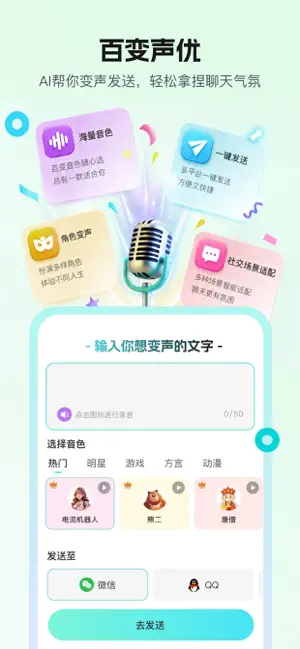
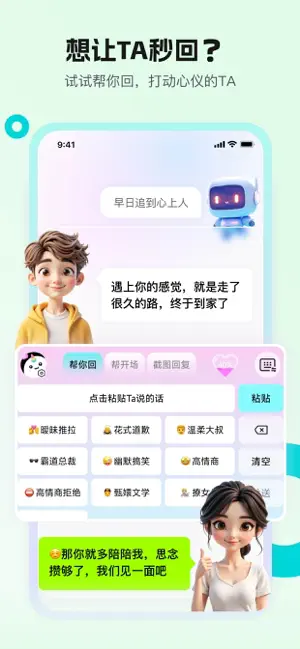
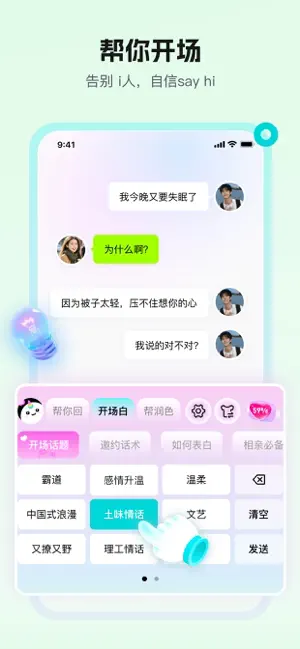
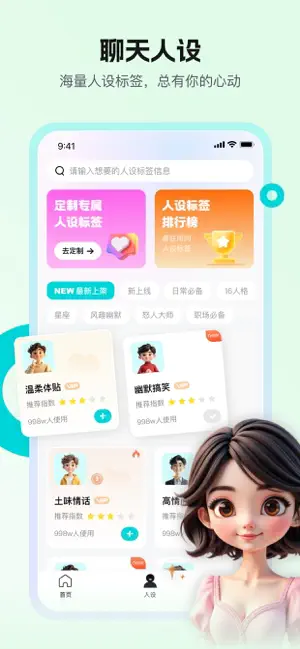
还在为不知道怎么追求心动的ta、不知道怎么高情商回复而苦恼? LoveAI键盘全新升级【文字帮回 + 语音变声】双模式,帮你搞定恋爱、社交、职场多种聊天场景,做你的专属“社恐救星”! 【恋爱帮回】 复制ta的消息,一键生成高情商回复;还能根据不同恋爱阶段(初识、好感、暧昧、恋人)定制专属话术,让你轻松拿捏聊天节奏,稳稳推进关系。 【百变语音】 文字秒变语音,海量音色一键切换:可爱软萌、成熟低沉、少年感、高冷疏离等,还可适配开黑、整活、表白多种场景,让每一句话都自带氛围感与惊喜。 【主动出击】 看电影前后、相亲前后、早安晚安、节日祝福等上百种主动开场话术模板,帮你提前准备好每一条“先发制人”的关心与惊喜,牢牢掌握聊天主动权。 【润色话题】 话到嘴边不知道怎么发?把原话交给LoveAI,智能润色升级,一键变成高情商、高颜值文案,让心仪的ta越聊越上头。 【玩转职场】 同事、领导消息不好回?提供礼貌得体又不尴尬的职场话术:请示、反馈、拒绝、夸人不油腻……让你在职场沟通中从容表达,如鱼得水。 【变成社牛】 不会聊天、不…
App details
What you can learn from LoveAI键盘
Every shipping app on the App Store has gone through the same decisions you're working through right now: which screenshot goes first, what caption sits over it, which device frame to show, what color the background should be. The 5 screenshots above are LoveAI键盘's answers to those questions — they're public, they're real, and they made it through Apple's review.
What the numbers say: LoveAI键盘 runs a light set with one background colour (#F4FCFC) carried across every screenshot — the listing reads as a single poster when the shots sit side by side in search results. The accent colour we picked up, #F494DC, is the one to reuse for badges, arrows and highlighted words if you borrow this look. Hit Use this style to open the editor with these exact colours and drop your own screenshot in.
Notice the first screenshot in particular. It's the one users see in search results and on the product page, and it's where most apps spend their best caption and tightest design. Look at the proportion of background to phone, where the text sits, what one thing the image is trying to communicate.
Want to see how other Productivity apps approach the same problem? Browse more Productivity apps in the showcase.
Take what works into your own screenshots
Open LaunchShots and design your App Store & Google Play screenshots — pick a device frame, drop captions, ship in minutes. Free, in your browser.
Open the screenshot editor →Apps with a similar look
Closest background + accent colours among the listings we've analysed — useful when you want to see the same palette handled by a different team.