Screenshot changes — detected by LaunchShots
Screenshot style breakdown
Sampled from 6 of Titanite's App Store screenshots — background, accent and theme, measured by LaunchShots (not something Apple publishes).
#546474 bg
#6B7987
#543424 accent
#FFFFFF text
Screenshots

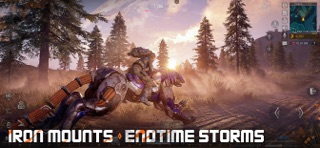
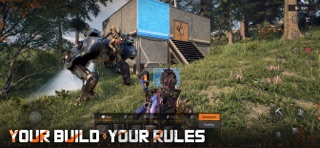


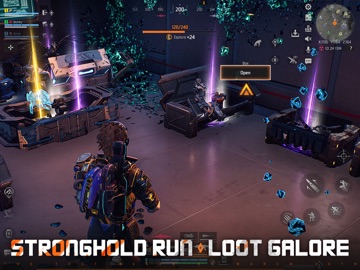
iPad screenshots



Icon palette
About this app
Join the ranks of Pioneers in a world devastated by AI's evolution into ravenous mechanical beasts. A relentless nano-virus has decimated humanity, drained resources, and triggered a global war against mankind’s own creations. After the failure of the “Pioneer Plan,” you must enter the infected zone, build temporary shelters, scavenge vital supplies, and execute a swift, strategic evacuation. Titanite delivers an immersive, high-stakes experience: master powerful Mechas, face AI adversaries, and wield cutting-edge weapons in a desperate fight for survival. Battle and tame mechanical beasts Rogue Mechas once ruled the wilds, but now we fight back. Override their system, seize control, and upgrade them into powerful war machines. From heavy siege units to agile fliers and resource harvesting rigs, each Mecha brings unique power to your fight for survival. In a world shaped by steel and c…
App details
What you can learn from Titanite
Every shipping app on the App Store has gone through the same decisions you're working through right now: which screenshot goes first, what caption sits over it, which device frame to show, what color the background should be. The 12 screenshots above are Titanite's answers to those questions — they're public, they're real, and they made it through Apple's review.
What the numbers say: Titanite runs a dark set where the background shifts from screenshot to screenshot (first shot #546474) — each image has to stand on its own, so the captions carry more of the story. The accent colour we picked up, #543424, is the one to reuse for badges, arrows and highlighted words if you borrow this look. Hit Use this style to open the editor with these exact colours and drop your own screenshot in.
Notice the first screenshot in particular. It's the one users see in search results and on the product page, and it's where most apps spend their best caption and tightest design. Look at the proportion of background to phone, where the text sits, what one thing the image is trying to communicate.
Want to see how other Games apps approach the same problem? Browse more Games apps in the showcase.
Take what works into your own screenshots
Open LaunchShots and design your App Store & Google Play screenshots — pick a device frame, drop captions, ship in minutes. Free, in your browser.
Open the screenshot editor →Apps with a similar look
Closest background + accent colours among the listings we've analysed — useful when you want to see the same palette handled by a different team.