Screenshot style breakdown
Sampled from 5 of Readify: 全能电子书阅读器&AI自然语音朗读's App Store screenshots — background, accent and theme, measured by LaunchShots (not something Apple publishes).
#0C0C0C bg
#2E2E2E
#341C64 accent
#FFFFFF text
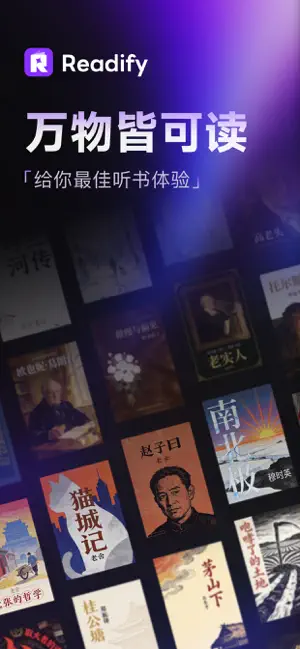
- #1万 物 缘 可 [给 你 最 佳 听 书 体验 可
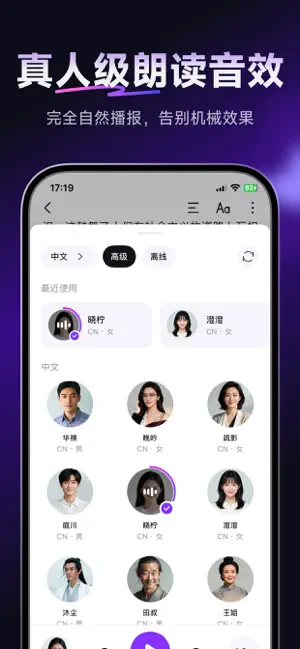
- #2真人 级 朗读 音效 完全 自然 播报 , 告 别 机 械 效 果
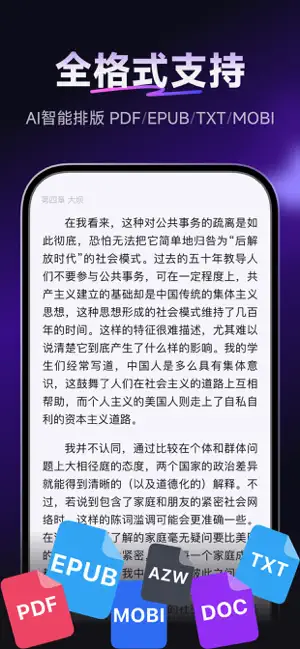
- #3全 格式 支持 Al 智能 排版 PDF/EPUB/TXT/MOBI
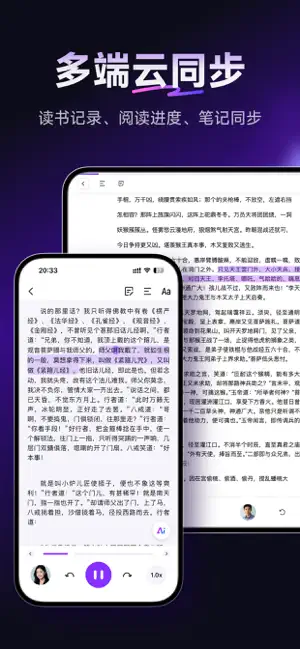
- #5多 端 云 同步 读书 记录 、 阅 读 进度 、 笔 记 同步
Captions read from the screenshots (OCR, may contain small errors): 4 headlines, 11.8 words on average (longest 14).
Screenshots
Icon palette
About this app
【真人级AI朗读】Readify - 让任何电子书变成高品质有声书,媲美专业播音员的朗读体验! Readify是一款革命性的电子书阅读与AI听书应用,采用先进的大语言模型技术,带来前所未有的自然语音体验。不同于其他机械僵硬的文本转语音应用,我们的AI朗读技术提供真正媲美人类的阅读体验,让您分辨不出是AI还是真人在朗读。 # 为什么选择Readify? • 真人级AI朗读体验 享受市面上最自然的AI语音朗读。我们的大语言模型技术创造流畅、富有表现力的朗读,能够捕捉人类阅读的细微差别 - 不再是您习惯的机器人声音。 • 全格式无缝支持 上传并聆听任何文档格式:PDF、EPUB、TXT、AZW、MOBI等。无需转换烦恼,无格式限制。 • 多端同步无缝体验 手机开始阅读,电脑继续聆听。Readify通过APP、网页界面和Chrome扩展完美同步您所有设备的阅读进度。 • PDF智能处理 自动将PDF转换为完美排版的EPUB,智能识别布局。复杂文档变得美观易读易听。 • 随时随地听任何内容 不仅限于书籍,通过我们的浏览器扩展,Readify还能让您聆听在线文章、文档或任何文本内容。 • 完全免费使用 所…
App details
What you can learn from Readify: 全能电子书阅读器&AI自然语音朗读
Every shipping app on the App Store has gone through the same decisions you're working through right now: which screenshot goes first, what caption sits over it, which device frame to show, what color the background should be. The 5 screenshots above are Readify: 全能电子书阅读器&AI自然语音朗读's answers to those questions — they're public, they're real, and they made it through Apple's review.
What the numbers say: Readify: 全能电子书阅读器&AI自然语音朗读 runs a dark set with one background colour (#0C0C0C) carried across every screenshot — the listing reads as a single poster when the shots sit side by side in search results. The accent colour we picked up, #341C64, is the one to reuse for badges, arrows and highlighted words if you borrow this look. Hit Use this style to open the editor with these exact colours and drop your own screenshot in.
Notice the first screenshot in particular. It's the one users see in search results and on the product page, and it's where most apps spend their best caption and tightest design. Look at the proportion of background to phone, where the text sits, what one thing the image is trying to communicate.
Want to see how other Book apps approach the same problem? Browse more Book apps in the showcase.
Take what works into your own screenshots
Open LaunchShots and design your App Store & Google Play screenshots — pick a device frame, drop captions, ship in minutes. Free, in your browser.
Open the screenshot editor →Apps with a similar look
Closest background + accent colours among the listings we've analysed — useful when you want to see the same palette handled by a different team.