Chart position — tracked daily by LaunchShots
Screenshot changes — detected by LaunchShots
Screenshot style breakdown
Sampled from 6 of Netli.fyi: Netlify Client's App Store screenshots — background, accent and theme, measured by LaunchShots (not something Apple publishes).
#6CB4F4 bg
#5F9ED6
#0C8CEC accent
#111111 text
Screenshots



Icon palette
About this app
Take control of your Netlify sites from anywhere. Netli.fyi is a fast, native iOS client for Netlify — create projects, monitor deploys, manage domains, and keep your whole workflow moving without opening a browser or reaching for the CLI. CREATE & DEPLOY - Create a new project by uploading a .zip, a zipped folder, or a single HTML file - Connect a repository from GitHub, GitLab, or Bitbucket - Edit build settings: build command, publish and base directories, functions directory, and production branch SITES & DEPLOYS - Browse every site across all your Netlify teams, with quick search - Watch builds in real time with streaming deploy logs - Trigger new builds, roll back to a previous deploy, lock and unlock deploys, or cancel a running build - Swipe any project to redeploy or delete it - Global build history with one-tap filtering for failed builds - Inspect deployed files and preview…
App details
What you can learn from Netli.fyi: Netlify Client
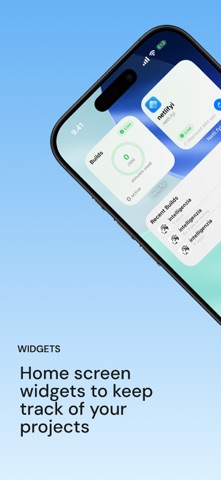
Every shipping app on the App Store has gone through the same decisions you're working through right now: which screenshot goes first, what caption sits over it, which device frame to show, what color the background should be. The 8 screenshots above are Netli.fyi: Netlify Client's answers to those questions — they're public, they're real, and they made it through Apple's review.
What the numbers say: Netli.fyi: Netlify Client runs a light set where the background shifts from screenshot to screenshot (first shot #6CB4F4) — each image has to stand on its own, so the captions carry more of the story. The accent colour we picked up, #0C8CEC, is the one to reuse for badges, arrows and highlighted words if you borrow this look. Hit Use this style to open the editor with these exact colours and drop your own screenshot in.
Notice the first screenshot in particular. It's the one users see in search results and on the product page, and it's where most apps spend their best caption and tightest design. Look at the proportion of background to phone, where the text sits, what one thing the image is trying to communicate.
Want to see how other Developer Tools apps approach the same problem? Browse more Developer Tools apps in the showcase.
Take what works into your own screenshots
Open LaunchShots and design your App Store & Google Play screenshots — pick a device frame, drop captions, ship in minutes. Free, in your browser.
Open the screenshot editor →Apps with a similar look
Closest background + accent colours among the listings we've analysed — useful when you want to see the same palette handled by a different team.