Chart position — tracked daily by LaunchShots
Screenshot style breakdown
Sampled from 6 of アニメ風加工's App Store screenshots — background, accent and theme, measured by LaunchShots (not something Apple publishes).
#ECE4CC bg
#CFC8B3
#8CB44C accent
#111111 text
- #2TEHHD
Captions read from the screenshots (OCR, may contain small errors): 1 headline, 1 words on average (longest 1), mostly ALL CAPS.
Screenshots


Icon palette
About this app
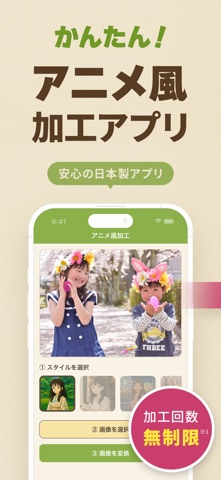
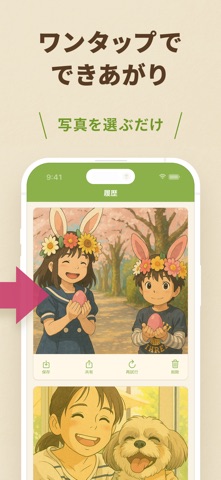
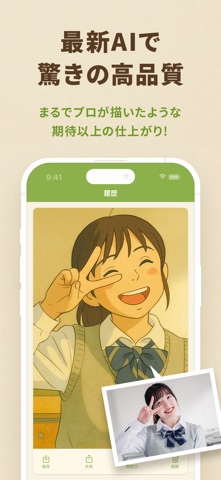
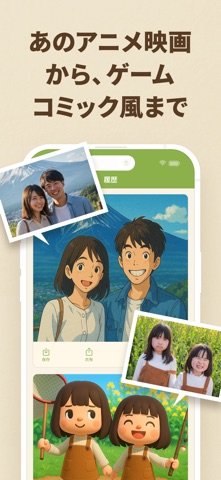
アニメのような世界に、あなたの写真を。 かんたん操作で“あのアニメ風”に変身! 「アニメ風加工」は、あなたの写真をやさしいタッチのアニメ風イラストに自動変換できるアプリです。 特別なスキルや操作は一切不要。 写真を選んでボタンをタップするだけで、まるで物語のワンシーンのような一枚が完成します。 ◆ 主な機能 ◉ かんたん2ステップ 「画像を選択」→「画像を変換」だけで、すぐにアニメ風画像を生成! ◉ やわらかく温かみのあるタッチ まるで懐かしい映画のワンカットのような、手描き風の自然な仕上がり。 ◉ SNSにも気軽にシェア 加工した画像はそのまま保存&シェア可能。InstagramやLINEのアイコンにも最適! ◉ プロフィール画像やアイコン作成にも◎ 自分だけの“世界観”を演出できるアニメ風アイコンが簡単に作れます。 ◆ こんな使い方がおすすめ 思い出の写真を物語風に残したい 家族や友達との写真をもっと特別にしたい SNSのアイコンを印象的にしたい プレゼント画像や記念イラストを作りたい 写真を選ぶだけで、まるでアニメの世界に飛び…
App details
What you can learn from アニメ風加工
Every shipping app on the App Store has gone through the same decisions you're working through right now: which screenshot goes first, what caption sits over it, which device frame to show, what color the background should be. The 6 screenshots above are アニメ風加工's answers to those questions — they're public, they're real, and they made it through Apple's review.
What the numbers say: アニメ風加工 runs a light set with one background colour (#ECE4CC) carried across every screenshot — the listing reads as a single poster when the shots sit side by side in search results. The accent colour we picked up, #8CB44C, is the one to reuse for badges, arrows and highlighted words if you borrow this look. Hit Use this style to open the editor with these exact colours and drop your own screenshot in.
Notice the first screenshot in particular. It's the one users see in search results and on the product page, and it's where most apps spend their best caption and tightest design. Look at the proportion of background to phone, where the text sits, what one thing the image is trying to communicate.
Want to see how other Graphics & Design apps approach the same problem? Browse more Graphics & Design apps in the showcase.
Take what works into your own screenshots
Open LaunchShots and design your App Store & Google Play screenshots — pick a device frame, drop captions, ship in minutes. Free, in your browser.
Open the screenshot editor →Apps with a similar look
Closest background + accent colours among the listings we've analysed — useful when you want to see the same palette handled by a different team.