Chart position — tracked daily by LaunchShots
Screenshot changes — detected by LaunchShots
Screenshot style breakdown
Sampled from 6 of عُلا: تأسس, تدرب وتحدى's App Store screenshots — background, accent and theme, measured by LaunchShots (not something Apple publishes).
#24347C bg
#42508E
#447CB4 accent
#FFFFFF text
Screenshots
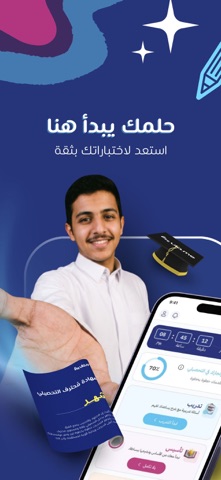


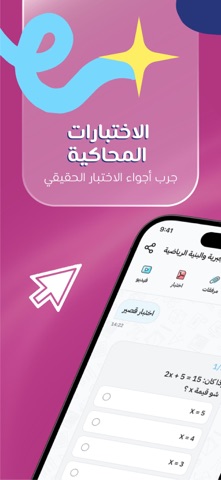
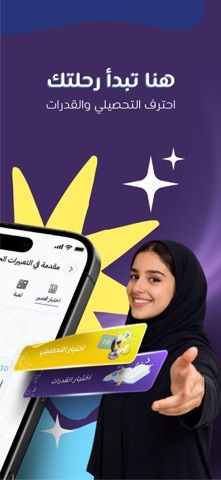
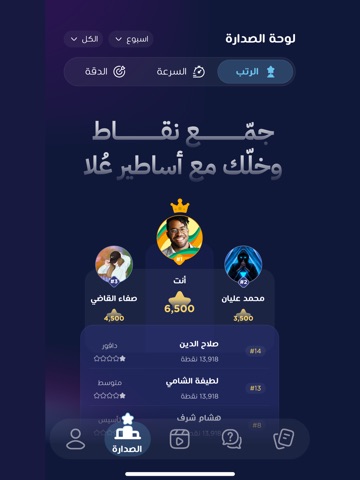
iPad screenshots



Icon palette
About this app
لا تضيع وقتك على أشياء أنت أصلا فاهمها. عُلا تحدد مستواك ونقاط ضعفك، وتعطيك التدريب المناسب عشان تركز على اللي تحتاجه فعلا وترفع جاهزيتك للقدرات. وش تقدم لك عُلا؟ اختبار تحديد المستوى الذكي يعرف مستواك من البداية ويوجهك للمواضيع اللي تحتاج تركز عليها. تدريب مخصص وتفاعلي أسئلة وبطاقات تتكيف مع مستواك، نقاط ضعفك وسرعة تعلمك. بطاقات تدريب متنوعة أسئلة، شروحات موجهة، بطاقات مفاهيم ومراجعات سريعة. رتب واختبارات إتقان تدرج من مبتدئ إلى دافور، اجمع النجوم واجتز اختبارات الرتب. لوحات صدارة وتنافس نافس الطلاب على مستوى المملكة في النقاط، السرعة والدقة. دروس تأسيس بالفيديو شرح مبسط للمفاهيم مع نخبة من المعلمين، وبعدها طبق مباشرة على الأسئلة. محاكي وبنوك أسئلة تدرب على محاكي القدرات بـ120 سؤال في 120 دقيقة، وحل التجميعات والمواضيع اللي تحتاجها. حمل التطبيق وخذ الزبدة.
App details
What you can learn from عُلا: تأسس, تدرب وتحدى
Every shipping app on the App Store has gone through the same decisions you're working through right now: which screenshot goes first, what caption sits over it, which device frame to show, what color the background should be. The 12 screenshots above are عُلا: تأسس, تدرب وتحدى's answers to those questions — they're public, they're real, and they made it through Apple's review.
What the numbers say: عُلا: تأسس, تدرب وتحدى runs a mixed light-and-dark set where the background shifts from screenshot to screenshot (first shot #24347C) — each image has to stand on its own, so the captions carry more of the story. The accent colour we picked up, #447CB4, is the one to reuse for badges, arrows and highlighted words if you borrow this look. Hit Use this style to open the editor with these exact colours and drop your own screenshot in.
Notice the first screenshot in particular. It's the one users see in search results and on the product page, and it's where most apps spend their best caption and tightest design. Look at the proportion of background to phone, where the text sits, what one thing the image is trying to communicate.
Want to see how other Education apps approach the same problem? Browse more Education apps in the showcase.
Take what works into your own screenshots
Open LaunchShots and design your App Store & Google Play screenshots — pick a device frame, drop captions, ship in minutes. Free, in your browser.
Open the screenshot editor →Apps with a similar look
Closest background + accent colours among the listings we've analysed — useful when you want to see the same palette handled by a different team.