Chart position — tracked daily by LaunchShots
Screenshot changes — detected by LaunchShots
Screenshot style breakdown
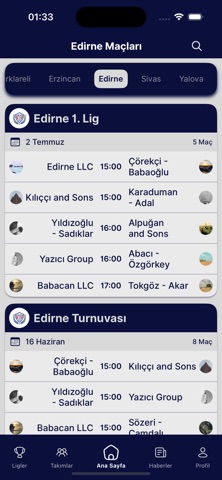
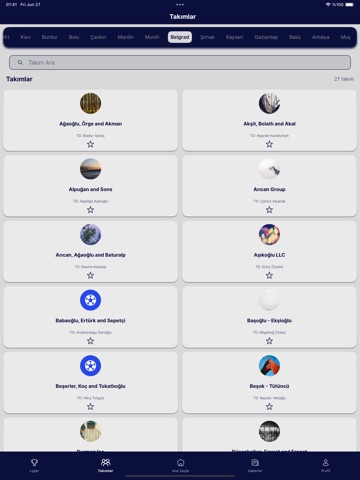
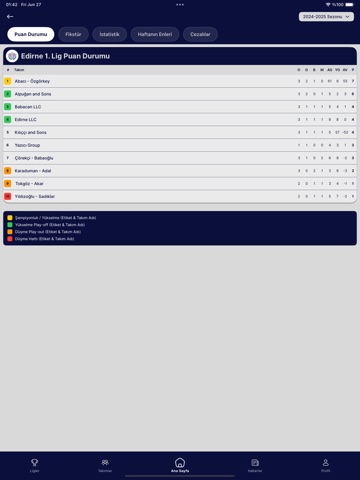
Sampled from 6 of Mini Futbol Turkiye's App Store screenshots — background, accent and theme, measured by LaunchShots (not something Apple publishes).
#0C0C3C bg
#2E2E57
#BC1424 accent
#FFFFFF text
- #1VEYA w= Oyuncu Olarak Üye Ol > © Taraftar Olarak Üye Ol >
- #2( 16 Haziran 8 Maç Çörekçi - ,.. ww Babaoğlu 15:00 Kılıççı and Sons &
- #3D: Çağrı Akar 0: Arslanyabgu Koçyiğit <3 Akyüz - Türkyılmaz Alnıaçık and Sons
- #4Eum neque vel corporis bundan çakıl sayfası qui © 269
- #5Uygulama Ayarlari A£ Bildirim Ayarları Uygulama Hakkında
- #6(8) vidizoglu - Sadıklar 2 0115 7 21 Şampiyonluk / Yükselme (Etiket & Takım Adi) Yükselme
Captions read from the screenshots (OCR, may contain small errors): 6 headlines, 12.3 words on average (longest 16).
Screenshots



iPad screenshots




Icon palette
About this app
Futbolseverlerin Vazgeçilmezi! Canlı skorları, detaylı maç analizlerini ve favori takımlarınızı tek bir yerden takip edin! Minifutbol TR ile takımınızın ve diğer maçların tüm detaylarına anında ulaşın. Başlıca Özellikler Canlı skor takibi Maç öncesi ve sonrası detaylı istatistikler Kadrolar, dizilişler ve oyuncu bilgileri Fikstür ve puan durumu Bildirim özelliğiyle favori takımınızı kaçırmayın Maç geçmişi ve karşılaştırmalar Kullanıcı dostu arayüz ve hızlı performans Hemen indirin ve oyuna katılın! Artık hiçbir golü, kartı veya değişikliği kaçırmayın. Minifutbol TR ile futbol her zaman yanınızda! Terms of Use: https://www.apple.com/legal/internet-services/itunes/dev/stdeula/ Privacy Policy: https://minifutbolturkiye.com/gizlilik-politikasi
App details
What you can learn from Mini Futbol Turkiye
Every shipping app on the App Store has gone through the same decisions you're working through right now: which screenshot goes first, what caption sits over it, which device frame to show, what color the background should be. The 12 screenshots above are Mini Futbol Turkiye's answers to those questions — they're public, they're real, and they made it through Apple's review.
What the numbers say: Mini Futbol Turkiye runs a dark set with one background colour (#0C0C3C) carried across every screenshot — the listing reads as a single poster when the shots sit side by side in search results. The accent colour we picked up, #BC1424, is the one to reuse for badges, arrows and highlighted words if you borrow this look. Hit Use this style to open the editor with these exact colours and drop your own screenshot in.
Notice the first screenshot in particular. It's the one users see in search results and on the product page, and it's where most apps spend their best caption and tightest design. Look at the proportion of background to phone, where the text sits, what one thing the image is trying to communicate.
Want to see how other Sports apps approach the same problem? Browse more Sports apps in the showcase.
Take what works into your own screenshots
Open LaunchShots and design your App Store & Google Play screenshots — pick a device frame, drop captions, ship in minutes. Free, in your browser.
Open the screenshot editor →Apps with a similar look
Closest background + accent colours among the listings we've analysed — useful when you want to see the same palette handled by a different team.