Chart position — tracked daily by LaunchShots
Screenshot changes — detected by LaunchShots
Screenshot style breakdown
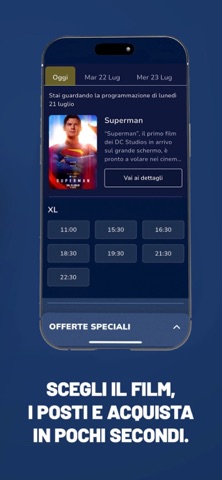
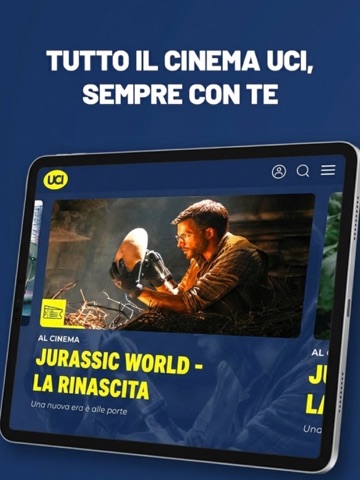
Sampled from 3 of UCI Cinemas Italia's App Store screenshots — background, accent and theme, measured by LaunchShots (not something Apple publishes).
#1C3464 bg
#3B5079
#FCFC14 accent
#FFFFFF text
Screenshots


iPad screenshots
Icon palette
About this app
Con l’app ufficiale di UCI Cinemas, il grande schermo è sempre con te, a portata di smartphone. Consulta la programmazione aggiornata di tutti i cinema UCI in Italia, scegli il film da vedere e acquista i biglietti in pochi e semplici tap. Inoltre, acquistando tramite app potrai accedere a offerte esclusive, promozioni dedicate e gadget in regalo pensati per rendere la tua esperienza ancora più speciale e coinvolgente. Nella tua area personale potrai visualizzare i tuoi biglietti digitali e tenere traccia di tutti gli acquisti, sempre a portata di mano. E se sei registrato al nostro programma fedeltà, ogni visita al cinema ti premia: accumuli punti da utilizzare per ottenere sconti e omaggi su biglietti, prodotti al bar e tanti altri vantaggi riservati.
App details
What you can learn from UCI Cinemas Italia
Every shipping app on the App Store has gone through the same decisions you're working through right now: which screenshot goes first, what caption sits over it, which device frame to show, what color the background should be. The 4 screenshots above are UCI Cinemas Italia's answers to those questions — they're public, they're real, and they made it through Apple's review.
What the numbers say: UCI Cinemas Italia runs a dark set with one background colour (#1C3464) carried across every screenshot — the listing reads as a single poster when the shots sit side by side in search results. The accent colour we picked up, #FCFC14, is the one to reuse for badges, arrows and highlighted words if you borrow this look. Hit Use this style to open the editor with these exact colours and drop your own screenshot in.
Notice the first screenshot in particular. It's the one users see in search results and on the product page, and it's where most apps spend their best caption and tightest design. Look at the proportion of background to phone, where the text sits, what one thing the image is trying to communicate.
Want to see how other Entertainment apps approach the same problem? Browse more Entertainment apps in the showcase.
Take what works into your own screenshots
Open LaunchShots and design your App Store & Google Play screenshots — pick a device frame, drop captions, ship in minutes. Free, in your browser.
Open the screenshot editor →Apps with a similar look
Closest background + accent colours among the listings we've analysed — useful when you want to see the same palette handled by a different team.