Screenshot style breakdown
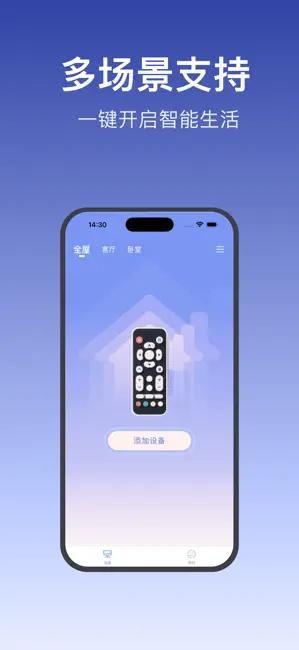
Sampled from 4 of 万能遥控器 - 万能空调控ּ遥控器's App Store screenshots — background, accent and theme, measured by LaunchShots (not something Apple publishes).
#3C4CAC bg
#5765B7
#7C94F4 accent
#FFFFFF text
Screenshots



Icon palette
About this app
手机变身万能遥控器!一个应用掌控常用家电。 告别满屋找遥控器的烦恼!只需打开【万能遥控器】,你的手机瞬间化身全能遥控器。轻松控制电视、空调、风扇、电灯等智能/红外设备!界面简洁直观,操作流畅便捷。无论在家还是外出,一键掌控舒适生活。立即下载,让手机成为你的居家指挥中心!
App details
What you can learn from 万能遥控器 - 万能空调控ּ遥控器
Every shipping app on the App Store has gone through the same decisions you're working through right now: which screenshot goes first, what caption sits over it, which device frame to show, what color the background should be. The 4 screenshots above are 万能遥控器 - 万能空调控ּ遥控器's answers to those questions — they're public, they're real, and they made it through Apple's review.
What the numbers say: 万能遥控器 - 万能空调控ּ遥控器 runs a mixed light-and-dark set where the background shifts from screenshot to screenshot (first shot #3C4CAC) — each image has to stand on its own, so the captions carry more of the story. The accent colour we picked up, #7C94F4, is the one to reuse for badges, arrows and highlighted words if you borrow this look. Hit Use this style to open the editor with these exact colours and drop your own screenshot in.
Notice the first screenshot in particular. It's the one users see in search results and on the product page, and it's where most apps spend their best caption and tightest design. Look at the proportion of background to phone, where the text sits, what one thing the image is trying to communicate.
Want to see how other Utilities apps approach the same problem? Browse more Utilities apps in the showcase.
Take what works into your own screenshots
Open LaunchShots and design your App Store & Google Play screenshots — pick a device frame, drop captions, ship in minutes. Free, in your browser.
Open the screenshot editor →Apps with a similar look
Closest background + accent colours among the listings we've analysed — useful when you want to see the same palette handled by a different team.