Chart position — tracked daily by LaunchShots
Screenshot changes — detected by LaunchShots
Screenshot style breakdown
Sampled from 4 of 学丞-晓艳老师课堂's App Store screenshots — background, accent and theme, measured by LaunchShots (not something Apple publishes).
#FCFCFC bg
#DDDDDD
#FC8C4C accent
#111111 text
Screenshots


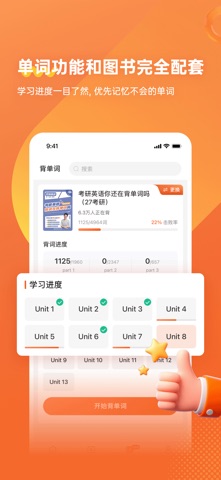

iPad screenshots


Icon palette
About this app
学丞·几千万大中小学生的学习伙伴 每年帮助数百万学生度过学习难关 好懂 好学 好提升 好书 好考 好老师 师出有名 学必有“丞” 【主要功能】 1 图书配套资源 查看配套刘晓燕等名师的视频课 2 背单词功能 与单词图书一一对应的背单词功能,背词更高效 3 图书商城 免费试听,喜欢就买书 4 网课配套资源 获取配套网课的直播和录播课程 会员订阅说明: 本 App 提供非自动续期会员服务,用于跨设备同步单词及解锁高级学习功能。 会员类型与时长 1年会员:¥14.8(360天) 2年会员:¥28.8(720天) 3年会员:¥43.8(1080天) 专属权益: 消消乐、随身听、拼写测试、汉译英、英译汉、收藏单词、单词打印。 购买须知 本设备购买的会员,可在其他设备登录同一账号使用。 会员按30天/月计算,虚拟商品一经购买不支持退款。 若购买成功后未及时开通会员权限,请联系在线客服处理。 本会员为非自动续期订阅,不会自动扣费,到期后需手动再次购买方可继续使用会员权益。 隐私政策:https://agreement.ixuecheng.cn/privacyPolicy.html 使用条款:https://agreement.ixuecheng.cn…
App details
What you can learn from 学丞-晓艳老师课堂
Every shipping app on the App Store has gone through the same decisions you're working through right now: which screenshot goes first, what caption sits over it, which device frame to show, what color the background should be. The 8 screenshots above are 学丞-晓艳老师课堂's answers to those questions — they're public, they're real, and they made it through Apple's review.
What the numbers say: 学丞-晓艳老师课堂 runs a mixed light-and-dark set where the background shifts from screenshot to screenshot (first shot #FCFCFC) — each image has to stand on its own, so the captions carry more of the story. The accent colour we picked up, #FC8C4C, is the one to reuse for badges, arrows and highlighted words if you borrow this look. Hit Use this style to open the editor with these exact colours and drop your own screenshot in.
Notice the first screenshot in particular. It's the one users see in search results and on the product page, and it's where most apps spend their best caption and tightest design. Look at the proportion of background to phone, where the text sits, what one thing the image is trying to communicate.
Want to see how other Education apps approach the same problem? Browse more Education apps in the showcase.
Take what works into your own screenshots
Open LaunchShots and design your App Store & Google Play screenshots — pick a device frame, drop captions, ship in minutes. Free, in your browser.
Open the screenshot editor →Apps with a similar look
Closest background + accent colours among the listings we've analysed — useful when you want to see the same palette handled by a different team.