Screenshot changes — detected by LaunchShots
Screenshot style breakdown
Sampled from 6 of BingeBoxd: Séries e Filmes's App Store screenshots — background, accent and theme, measured by LaunchShots (not something Apple publishes).
#040404 bg
#272727
#146434 accent
#FFFFFF text
Screenshots


iPad screenshots




Icon palette
About this app
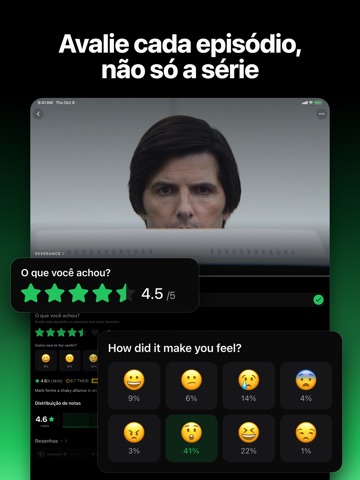
Bingeboxd é o app para acompanhar séries e filmes, feito para quem ama maratonar. Registre cada episódio, temporada e filme que você assiste, dê notas, escreva resenhas e veja o que seus amigos estão assistindo, tudo em um só app. Nunca mais esqueça onde parou, não perca nenhum episódio novo e saiba sempre o que assistir a seguir. ACOMPANHE SÉRIES, FILMES E EPISÓDIOS - Registre cada série e filme que você assiste - Marque episódios como assistidos e continue exatamente de onde parou - Crie uma watchlist com tudo o que você quer ver - Guarde seu histórico completo e seu diário de séries e filmes em um só lugar NÃO PERCA NENHUM EPISÓDIO - Um calendário personalizado mostra quando saem os novos episódios das suas séries - Descubra com antecedência novas temporadas e estreias - Saiba sempre o que vem a seguir DÊ NOTAS, ESCREVA RESENHAS E REGISTRE - Dê nota para cada filme, série e episó…
App details
What you can learn from BingeBoxd: Séries e Filmes
Every shipping app on the App Store has gone through the same decisions you're working through right now: which screenshot goes first, what caption sits over it, which device frame to show, what color the background should be. The 14 screenshots above are BingeBoxd: Séries e Filmes's answers to those questions — they're public, they're real, and they made it through Apple's review.
What the numbers say: BingeBoxd: Séries e Filmes runs a dark set with one background colour (#040404) carried across every screenshot — the listing reads as a single poster when the shots sit side by side in search results. The accent colour we picked up, #146434, is the one to reuse for badges, arrows and highlighted words if you borrow this look. Hit Use this style to open the editor with these exact colours and drop your own screenshot in.
Notice the first screenshot in particular. It's the one users see in search results and on the product page, and it's where most apps spend their best caption and tightest design. Look at the proportion of background to phone, where the text sits, what one thing the image is trying to communicate.
Want to see how other Entertainment apps approach the same problem? Browse more Entertainment apps in the showcase.
Take what works into your own screenshots
Open LaunchShots and design your App Store & Google Play screenshots — pick a device frame, drop captions, ship in minutes. Free, in your browser.
Open the screenshot editor →Apps with a similar look
Closest background + accent colours among the listings we've analysed — useful when you want to see the same palette handled by a different team.