Chart position — tracked daily by LaunchShots
Screenshot style breakdown
Sampled from 6 of Mudrider泥巴佬's App Store screenshots — background, accent and theme, measured by LaunchShots (not something Apple publishes).
#0C0404 bg
#2E2727
#EC5424 accent
#FFFFFF text
Screenshots
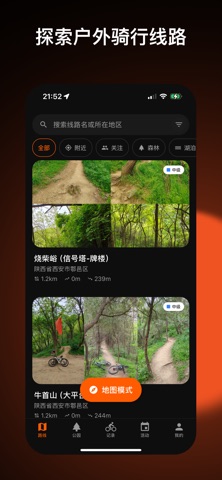
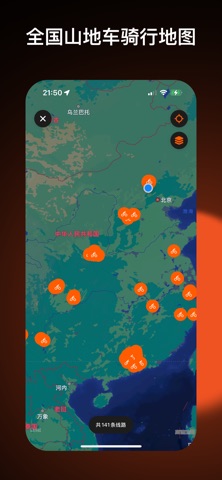
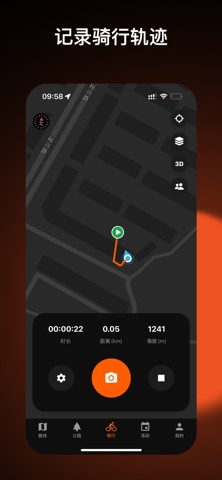

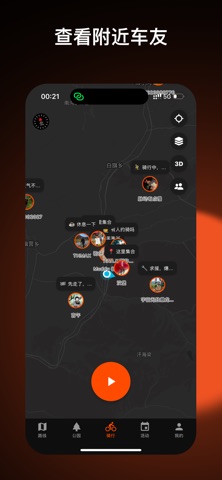



iPad screenshots



Icon palette
About this app
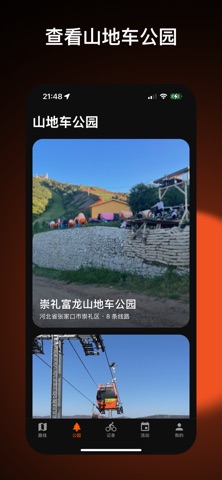
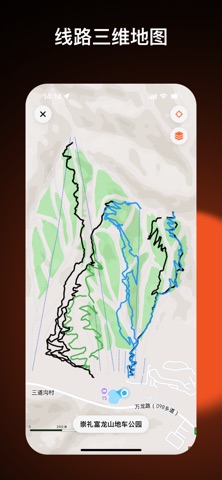
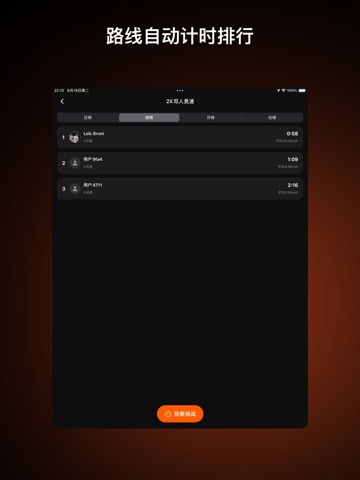
MudRider泥巴佬 是为山地车爱好者打造的一站式骑行平台,无论你是初学者还是专业骑手,都能在这里找到属于你的骑行路线与社群。 主要功能包括: • 路线发现:探索全国各地的山地车路线,查看难度、里程、落差和骑友评价 • 路线记录:GPS 轨迹实时记录,支持照片打点,方便回顾与分享 • 赛事与活动:获取最新骑行赛事和山地车公园活动信息 • 公园指南:覆盖全国主要山地车公园,附详细赛道图与骑行须知 我们相信,山地车不仅是运动,更是一种生活方式。Mudrider 希望通过技术连接骑手与自然,帮助大家“探索那些未被骑过的路”。
App details
What you can learn from Mudrider泥巴佬
Every shipping app on the App Store has gone through the same decisions you're working through right now: which screenshot goes first, what caption sits over it, which device frame to show, what color the background should be. The 16 screenshots above are Mudrider泥巴佬's answers to those questions — they're public, they're real, and they made it through Apple's review.
What the numbers say: Mudrider泥巴佬 runs a dark set with one background colour (#0C0404) carried across every screenshot — the listing reads as a single poster when the shots sit side by side in search results. The accent colour we picked up, #EC5424, is the one to reuse for badges, arrows and highlighted words if you borrow this look. Hit Use this style to open the editor with these exact colours and drop your own screenshot in.
Notice the first screenshot in particular. It's the one users see in search results and on the product page, and it's where most apps spend their best caption and tightest design. Look at the proportion of background to phone, where the text sits, what one thing the image is trying to communicate.
Want to see how other Sports apps approach the same problem? Browse more Sports apps in the showcase.
Take what works into your own screenshots
Open LaunchShots and design your App Store & Google Play screenshots — pick a device frame, drop captions, ship in minutes. Free, in your browser.
Open the screenshot editor →Apps with a similar look
Closest background + accent colours among the listings we've analysed — useful when you want to see the same palette handled by a different team.