Chart position — tracked daily by LaunchShots
Screenshot changes — detected by LaunchShots
Screenshot style breakdown
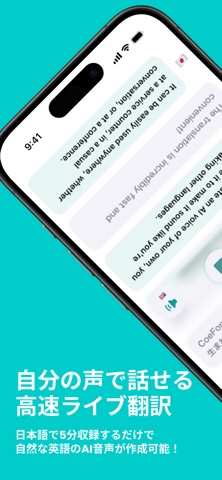
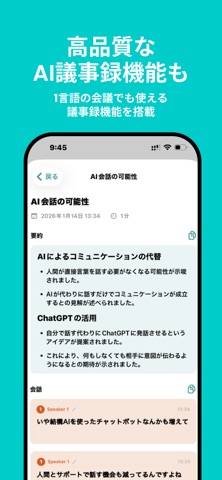
Sampled from 6 of CoeFont通訳 - 音声 翻訳 ・ AI 同時 通訳's App Store screenshots — background, accent and theme, measured by LaunchShots (not something Apple publishes).
#04CCCC bg
#03B3B3
#9CFCFC accent
#111111 text
Screenshots



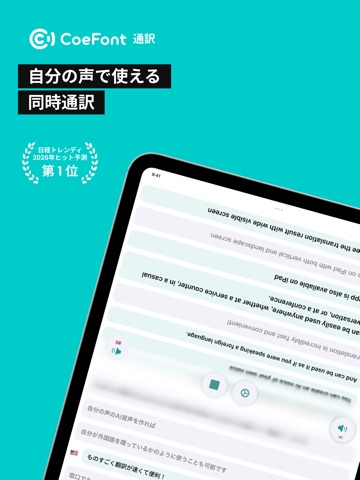
iPad screenshots


Icon palette
About this app
国内発のライブAI翻訳サービスがついにiOSに登場! 最短1秒の高速同時通訳で、言語の壁を越えたスムーズなコミュニケーションを実現します。 主な機能 ・多言語対応 日本語、英語、中国語、フランス語、スペイン語、韓国語、ベトナム語をリアルタイムで翻訳可能! 今後も対応言語を順次拡大予定 ・超高速通訳 最短約1秒でリアルタイム音声通訳 アプリを開いて置いておくだけで、会話のリズムを損なわない自然な対話体験を提供します。 もちろん話した内容はテキストで記録・表示可能! ・どこでも利用可能 スマートフォンで手軽に利用できます 対面会話や外出先でも活躍!専用の通訳機はもう必要ありません。 こんなシーンで活躍 ・国際会議・ビジネスミーティング ・海外旅行・観光 ・外国人観光客への接客 ・語学学習・教育現場 ・日常の多言語コミュニケーション 料金 ・基本機能は無料でご利用いただけます。有料プランにアップグレードすることで、より長時間の通訳サービスをお楽しみいただけます。 Enterpriseプラン等のご導入で、単語辞…
App details
What you can learn from CoeFont通訳 - 音声 翻訳 ・ AI 同時 通訳
Every shipping app on the App Store has gone through the same decisions you're working through right now: which screenshot goes first, what caption sits over it, which device frame to show, what color the background should be. The 9 screenshots above are CoeFont通訳 - 音声 翻訳 ・ AI 同時 通訳's answers to those questions — they're public, they're real, and they made it through Apple's review.
What the numbers say: CoeFont通訳 - 音声 翻訳 ・ AI 同時 通訳 runs a light set with one background colour (#04CCCC) carried across every screenshot — the listing reads as a single poster when the shots sit side by side in search results. The accent colour we picked up, #9CFCFC, is the one to reuse for badges, arrows and highlighted words if you borrow this look. Hit Use this style to open the editor with these exact colours and drop your own screenshot in.
Notice the first screenshot in particular. It's the one users see in search results and on the product page, and it's where most apps spend their best caption and tightest design. Look at the proportion of background to phone, where the text sits, what one thing the image is trying to communicate.
Want to see how other Reference apps approach the same problem? Browse more Reference apps in the showcase.
Take what works into your own screenshots
Open LaunchShots and design your App Store & Google Play screenshots — pick a device frame, drop captions, ship in minutes. Free, in your browser.
Open the screenshot editor →Apps with a similar look
Closest background + accent colours among the listings we've analysed — useful when you want to see the same palette handled by a different team.