Chart position — tracked daily by LaunchShots
Screenshot changes — detected by LaunchShots
Screenshot style breakdown
Sampled from 6 of TH-SL's App Store screenshots — background, accent and theme, measured by LaunchShots (not something Apple publishes).
#D4DCEC bg
#BAC1CF
#244474 accent
#111111 text
Screenshots





iPad screenshots




Icon palette
About this app
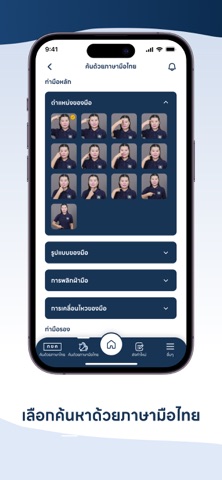
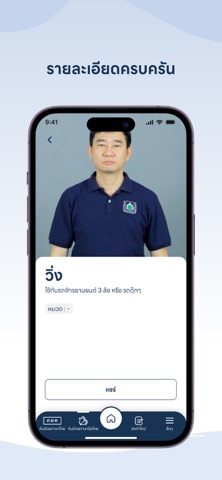
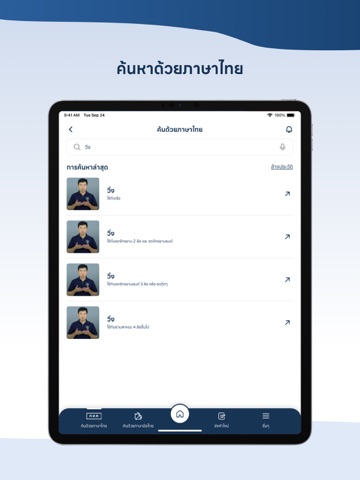
แอปพลิเคชันฐานข้อมูลภาษามือไทย TH-SL เป็นระบบคลังข้อมูลดิจิทัลที่จัดทำโดยสมาคมคนหูหนวกแห่งประเทศไทย รวบรวมคำศัพท์ภาษามือไทยที่ใช้ในชีวิตประจำวัน พร้อมวิดีโอสาธิตท่าภาษามือไทยที่ถูกต้องและชัดเจน รองรับการค้นหาสองรูปแบบ: การค้นหาคำศัพท์ภาษาไทยเพื่อดูวิดีโอท่าภาษามือไทย และการค้นหาวิดีโอโดยเลือกจากสี่องค์ประกอบท่าภาษามือไทย ได้แก่ รูปแบบมือ ตำแหน่ง การเคลื่อนไหว และทิศทาง เพื่อให้ได้ผลลัพธ์ที่แม่นยำ ภาษามือไทยประกอบด้วยห้าองค์ประกอบ โดยองค์ประกอบที่ห้า คือ การใช้สีหน้าและท่าทาง ซึ่งแอปฯ นี้ยังไม่รองรับในปัจจุบัน แต่มีแผนพัฒนาระบบตรวจจับสีหน้าและท่าทางในอนาคต เพื่อให้ผู้ใช้สามารถใช้ครบทั้งห้าองค์ประกอบของภาษามือไทยได้อย่างสมบูรณ์ นอกจากนี้ ผู้ใช้ทุกคนสามารถส่งข้อมูลหรือคำขอเกี่ยวกับความหมายของท่าภาษามือไทยว่าตรงกับคำภาษาไทยใด หรือสอบถามวิธีทำท่าภาษามือไทยสำหรับคำภาษาไทย โดยไม่จำเป็นต้องรู้ทั้งภาษามือไทยและคำศัพท์ภาษาไทย เพื่อให้ทีมศูนย์ภาษามือไทยของสมาคมคนหูหนวกแห่งประเทศไทยพัฒนาคำศัพท์หรือ…
App details
What you can learn from TH-SL
Every shipping app on the App Store has gone through the same decisions you're working through right now: which screenshot goes first, what caption sits over it, which device frame to show, what color the background should be. The 16 screenshots above are TH-SL's answers to those questions — they're public, they're real, and they made it through Apple's review.
What the numbers say: TH-SL runs a light set where the background shifts from screenshot to screenshot (first shot #D4DCEC) — each image has to stand on its own, so the captions carry more of the story. The accent colour we picked up, #244474, is the one to reuse for badges, arrows and highlighted words if you borrow this look. Hit Use this style to open the editor with these exact colours and drop your own screenshot in.
Notice the first screenshot in particular. It's the one users see in search results and on the product page, and it's where most apps spend their best caption and tightest design. Look at the proportion of background to phone, where the text sits, what one thing the image is trying to communicate.
Want to see how other Book apps approach the same problem? Browse more Book apps in the showcase.
Take what works into your own screenshots
Open LaunchShots and design your App Store & Google Play screenshots — pick a device frame, drop captions, ship in minutes. Free, in your browser.
Open the screenshot editor →Apps with a similar look
Closest background + accent colours among the listings we've analysed — useful when you want to see the same palette handled by a different team.