Screenshot style breakdown
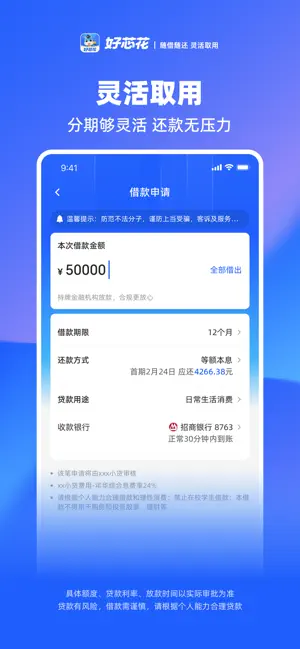
Sampled from 4 of 好芯花-大额信用贷款's App Store screenshots — background, accent and theme, measured by LaunchShots (not something Apple publishes).
#2C64FC bg
#4979FC
#8C8CFC accent
#FFFFFF text
Reading the caption text from the screenshots in your browser…
Screenshots



Icon palette
About this app
好芯花向用户提供方便、正规、安全的金融信贷服务提升用户的信用生活品质。 放款快:自动化审单,通过后快至30分钟放款额度灵活:额度高,最高可达20万! 费率优惠:综合年化利率6,4%起(单利) 自主提额:额度根据信用状况变更,多维度认证、实时提额。(以实际审批为准) 还款便捷:借款进度实时查询,还款信息清晰明了安全保护:完善安全的风控信用体系,让有信用的人过得更好!
App details
What you can learn from 好芯花-大额信用贷款
Every shipping app on the App Store has gone through the same decisions you're working through right now: which screenshot goes first, what caption sits over it, which device frame to show, what color the background should be. The 4 screenshots above are 好芯花-大额信用贷款's answers to those questions — they're public, they're real, and they made it through Apple's review.
What the numbers say: 好芯花-大额信用贷款 runs a dark set with one background colour (#2C64FC) carried across every screenshot — the listing reads as a single poster when the shots sit side by side in search results. The accent colour we picked up, #8C8CFC, is the one to reuse for badges, arrows and highlighted words if you borrow this look. Hit Use this style to open the editor with these exact colours and drop your own screenshot in.
Notice the first screenshot in particular. It's the one users see in search results and on the product page, and it's where most apps spend their best caption and tightest design. Look at the proportion of background to phone, where the text sits, what one thing the image is trying to communicate.
Want to see how other Finance apps approach the same problem? Browse more Finance apps in the showcase.
Take what works into your own screenshots
Open LaunchShots and design your App Store & Google Play screenshots — pick a device frame, drop captions, ship in minutes. Free, in your browser.
Open the screenshot editor →Apps with a similar look
Closest background + accent colours among the listings we've analysed — useful when you want to see the same palette handled by a different team.