Chart position — tracked daily by LaunchShots
Screenshot style breakdown
Sampled from 5 of 可孚健康's App Store screenshots — background, accent and theme, measured by LaunchShots (not something Apple publishes).
#FCFCFC bg
#DDDDDD
#04A4A4 accent
#111111 text
Reading the caption text from the screenshots in your browser…
Screenshots


Icon palette
About this app
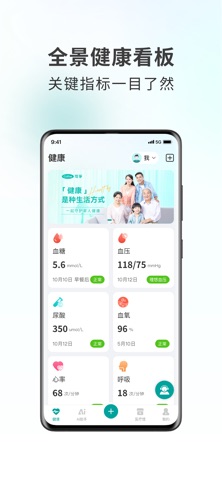
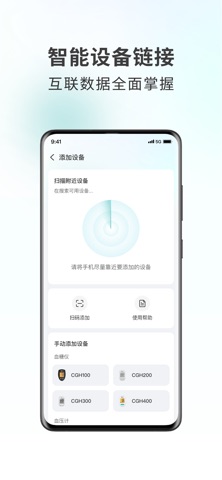
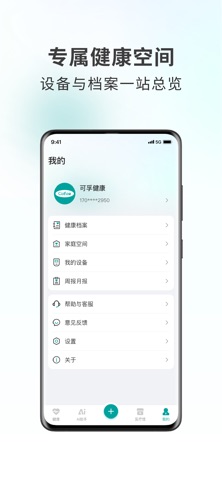
可孚健康APP专业连接智能设备,自动同步并整合数据,为您呈现直观的健康趋势与专业的解读建议。我们致力于用科技守护您与家人的健康,让专业管理,触手可及。 免责声明:本应用及配套设备测量结果仅供参考,不能替代专业医疗诊断。用户应在医生指导下使用测量数据,任何医疗决策前请咨询专业医生。
App details
What you can learn from 可孚健康
Every shipping app on the App Store has gone through the same decisions you're working through right now: which screenshot goes first, what caption sits over it, which device frame to show, what color the background should be. The 5 screenshots above are 可孚健康's answers to those questions — they're public, they're real, and they made it through Apple's review.
What the numbers say: 可孚健康 runs a light set with one background colour (#FCFCFC) carried across every screenshot — the listing reads as a single poster when the shots sit side by side in search results. The accent colour we picked up, #04A4A4, is the one to reuse for badges, arrows and highlighted words if you borrow this look. Hit Use this style to open the editor with these exact colours and drop your own screenshot in.
Notice the first screenshot in particular. It's the one users see in search results and on the product page, and it's where most apps spend their best caption and tightest design. Look at the proportion of background to phone, where the text sits, what one thing the image is trying to communicate.
Want to see how other Medical apps approach the same problem? Browse more Medical apps in the showcase.
Take what works into your own screenshots
Open LaunchShots and design your App Store & Google Play screenshots — pick a device frame, drop captions, ship in minutes. Free, in your browser.
Open the screenshot editor →Apps with a similar look
Closest background + accent colours among the listings we've analysed — useful when you want to see the same palette handled by a different team.