Chart position — tracked daily by LaunchShots
Screenshot changes — detected by LaunchShots
Screenshot style breakdown
Sampled from 6 of 超级制图——AI专业图片编辑工具,描述即设计's App Store screenshots — background, accent and theme, measured by LaunchShots (not something Apple publishes).
#FCFCFC bg
#DDDDDD
#FCB494 accent
#111111 text
Reading the caption text from the screenshots in your browser…
Screenshots




Icon palette
About this app
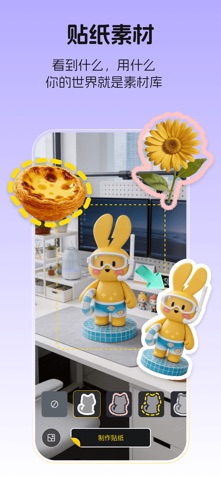
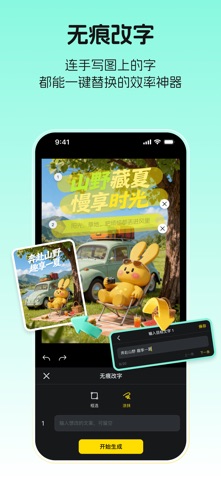
超级制图是科大讯飞旗下,面向图片创作与编辑场景的AI专业制图工具。依托先进AI能力,打破传统模板制图方式,从灵感生成、图片编辑到内容排版,一站式完成高质量图片创作。 无论是拍照记录生活、制作社媒内容、营销宣传,还是电商设计,都能通过AI快速完成创作。真正实现描述即设计、所想即所得,让每个人都能轻松创作专业级视觉内容。 【核心功能】 1)一键出片,AI帮你做出高级感图片 不会排版?图片不好看?上传图片即可AI智能分析画面内容,一键完成排版优化、元素搭配、视觉美化,让普通照片秒变社媒大片,轻松打造高质感作品。 2)拍照贴纸,记录生活更有趣 拍照自动识别主体,一键生成贴纸素材,支持自由拼贴、AI美化、创意组合。无论是亲子、美食、宠物、旅行还是日常记录,都能轻松制作高颜值内容,让每张照片更有表达力。 3)基础拼图,社媒分享更方便 支持多张图片快速拼接,丰富拼图样式自由选择,适用于小红书、朋友圈、微博等社媒分享,一键完成图文排版,高效制作分享内容。 4)AI文生图,灵感秒变画面 一句话描述即可生成创意海报、产品图、种草图、…
App details
What you can learn from 超级制图——AI专业图片编辑工具,描述即设计
Every shipping app on the App Store has gone through the same decisions you're working through right now: which screenshot goes first, what caption sits over it, which device frame to show, what color the background should be. The 6 screenshots above are 超级制图——AI专业图片编辑工具,描述即设计's answers to those questions — they're public, they're real, and they made it through Apple's review.
What the numbers say: 超级制图——AI专业图片编辑工具,描述即设计 runs a light set with one background colour (#FCFCFC) carried across every screenshot — the listing reads as a single poster when the shots sit side by side in search results. The accent colour we picked up, #FCB494, is the one to reuse for badges, arrows and highlighted words if you borrow this look. Hit Use this style to open the editor with these exact colours and drop your own screenshot in.
Notice the first screenshot in particular. It's the one users see in search results and on the product page, and it's where most apps spend their best caption and tightest design. Look at the proportion of background to phone, where the text sits, what one thing the image is trying to communicate.
Want to see how other Graphics & Design apps approach the same problem? Browse more Graphics & Design apps in the showcase.
Take what works into your own screenshots
Open LaunchShots and design your App Store & Google Play screenshots — pick a device frame, drop captions, ship in minutes. Free, in your browser.
Open the screenshot editor →Apps with a similar look
Closest background + accent colours among the listings we've analysed — useful when you want to see the same palette handled by a different team.