Screenshots



Icon palette
About this app
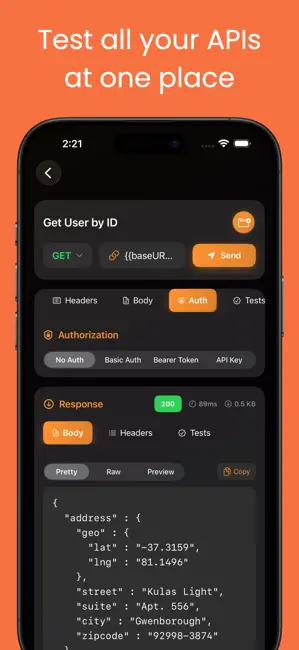
PostMon is a powerful yet simple API client for iPhone and iPad for working with REST APIs, HTTP APIs, and even occasional SOAP APIs. Use this REST API client and HTTP API client to quickly build requests, inspect responses, and iterate on your backend without needing a desktop tool. Features of Postman • HTTP/HTTPS methods Send requests with GET, POST, PUT, DELETE, PATCH, and more so you can cover most modern REST and HTTP APIs in one API client. • Custom parameters Add query parameters with key, value, and descriptions to keep complex endpoints organized and reusable in your API-client testing workflow. • Authorization Use Basic, Bearer/JWT, and OAuth-style authentication to connect securely to protected APIs directly from this REST API client for iOS. • Headers Add custom headers, with common ones like Content-Type and User-Agent ready for quick setup when using this HTTP API c…
App details
What you can learn from Postmon - Rest API Client
Every shipping app on the App Store has gone through the same decisions you're working through right now: which screenshot goes first, what caption sits over it, which device frame to show, what color the background should be. The 5 screenshots above are Postmon - Rest API Client's answers to those questions — they're public, they're real, and they made it through Apple's review.
Notice the first screenshot in particular. It's the one users see in search results and on the product page, and it's where most apps spend their best caption and tightest design. Look at the proportion of background to phone, where the text sits, what one thing the image is trying to communicate.
Want to see how other Developer Tools apps approach the same problem? Browse more Developer Tools apps in the showcase.
Take what works into your own screenshots
Open LaunchShots and design your App Store & Google Play screenshots — pick a device frame, drop captions, ship in minutes. Free, in your browser.
Open the screenshot editor →