Screenshot style breakdown
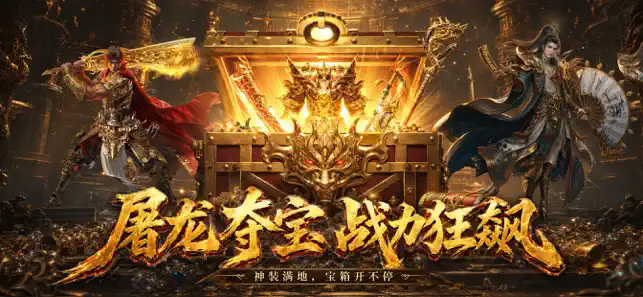
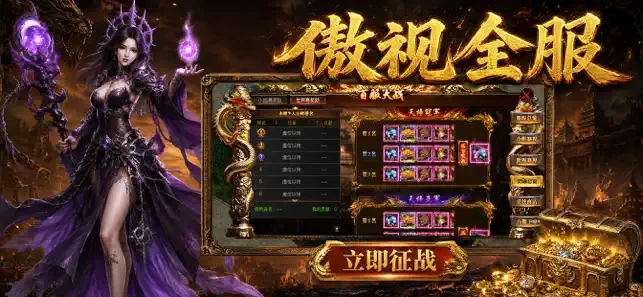
Sampled from 4 of 烈焰觉醒-2026全新盲盒版传奇's App Store screenshots — background, accent and theme, measured by LaunchShots (not something Apple publishes).
#241C14 bg
#423B34
#6C4C34 accent
#FFFFFF text
Screenshots


Icon palette
About this app
在一所充满秘密的魔幻学院中,玩家将扮演一名新生。这里的学习生活与众不同,课堂可能设在熔岩秘境,考试是与灵体进行对决。通过完成“早晚自习”、“班级事务”与“校外探险”等多种任务,逐步适应学院的奇幻日常。 游戏融合了模拟养成与轻策略玩法。玩家可以结识并收集拥有不同特长的同学,共同组建班委。通过消耗课堂获得的“学识”与“心得”,可以提升角色的品级与能力,应对更复杂的“学科试炼”与秘境探索。 游戏提供了清晰的成长目标。完成主线任务可推进剧情,解锁新场景如“研究所”与“写字楼”。在“春游”等特色活动中,通过答题抉择与资源管理,可获得丰厚奖励,助力你的毕业之旅。
App details
What you can learn from 烈焰觉醒-2026全新盲盒版传奇
Every shipping app on the App Store has gone through the same decisions you're working through right now: which screenshot goes first, what caption sits over it, which device frame to show, what color the background should be. The 4 screenshots above are 烈焰觉醒-2026全新盲盒版传奇's answers to those questions — they're public, they're real, and they made it through Apple's review.
What the numbers say: 烈焰觉醒-2026全新盲盒版传奇 runs a dark set with one background colour (#241C14) carried across every screenshot — the listing reads as a single poster when the shots sit side by side in search results. The accent colour we picked up, #6C4C34, is the one to reuse for badges, arrows and highlighted words if you borrow this look. Hit Use this style to open the editor with these exact colours and drop your own screenshot in.
Notice the first screenshot in particular. It's the one users see in search results and on the product page, and it's where most apps spend their best caption and tightest design. Look at the proportion of background to phone, where the text sits, what one thing the image is trying to communicate.
Want to see how other Entertainment apps approach the same problem? Browse more Entertainment apps in the showcase.
Take what works into your own screenshots
Open LaunchShots and design your App Store & Google Play screenshots — pick a device frame, drop captions, ship in minutes. Free, in your browser.
Open the screenshot editor →Apps with a similar look
Closest background + accent colours among the listings we've analysed — useful when you want to see the same palette handled by a different team.