Screenshot style breakdown
Sampled from 5 of TCB東京中央美容外科 公式アプリ's App Store screenshots — background, accent and theme, measured by LaunchShots (not something Apple publishes).
#FCFCFC bg
#DDDDDD
#FCCC04 accent
#111111 text
Reading the caption text from the screenshots in your browser…
Screenshots

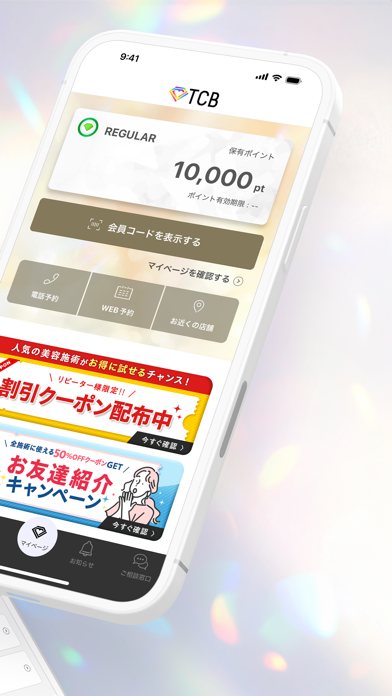

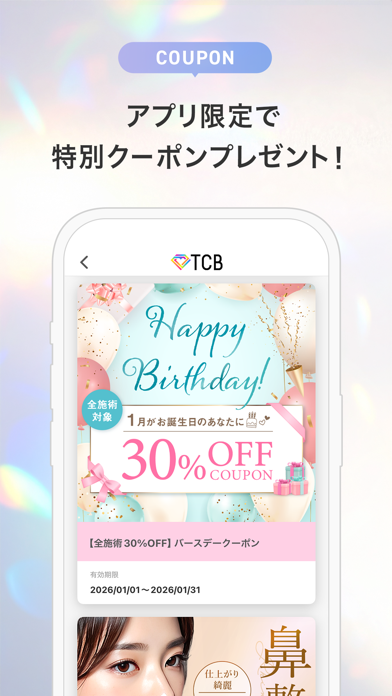

Icon palette
About this app
このアプリひとつで、人気の美容医療、クマ取り、スキン施術、二重整形(埋没法や切開法)、鼻整形、脂肪溶解、脂肪吸引、医療脱毛、ハイフ(HIFU)、糸リフト、ボトックス、ヒアルロン酸など、多岐にわたる美容外科施術の情報をいつでもどこでもチェックできます。整形に興味があるけれど不安がある方も、アプリ内で詳しく施術内容を確認できます。 【アプリの特徴】 ■簡単・スピーディーな予約機能 アプリからスムーズに無料カウンセリングの予約や、施術の予約・変更・キャンセルが可能です。 多忙な方でもご自身の都合に合わせてすぐに美容医療の一歩を踏み出せます。 ■お得なキャンペーン・クーポン情報が満載 アプリ会員様限定のキャンペーン情報やクーポンを随時配信。 さらに、学割やモニター情報もチェックできます。施術料金がお得になる割引情報を見逃しません。 賢く、お得に美容外科を利用するための情報が満載です。 ■ポイントの確認・利用もスムーズ 施術や購入で貯まったポイントをアプリで簡単に確認でき、ポイントを活用することで次回以降の施…
App details
What you can learn from TCB東京中央美容外科 公式アプリ
Every shipping app on the App Store has gone through the same decisions you're working through right now: which screenshot goes first, what caption sits over it, which device frame to show, what color the background should be. The 5 screenshots above are TCB東京中央美容外科 公式アプリ's answers to those questions — they're public, they're real, and they made it through Apple's review.
What the numbers say: TCB東京中央美容外科 公式アプリ runs a light set with one background colour (#FCFCFC) carried across every screenshot — the listing reads as a single poster when the shots sit side by side in search results. The accent colour we picked up, #FCCC04, is the one to reuse for badges, arrows and highlighted words if you borrow this look. Hit Use this style to open the editor with these exact colours and drop your own screenshot in.
Notice the first screenshot in particular. It's the one users see in search results and on the product page, and it's where most apps spend their best caption and tightest design. Look at the proportion of background to phone, where the text sits, what one thing the image is trying to communicate.
Want to see how other Medical apps approach the same problem? Browse more Medical apps in the showcase.
Take what works into your own screenshots
Open LaunchShots and design your App Store & Google Play screenshots — pick a device frame, drop captions, ship in minutes. Free, in your browser.
Open the screenshot editor →Apps with a similar look
Closest background + accent colours among the listings we've analysed — useful when you want to see the same palette handled by a different team.