Screenshot style breakdown
Sampled from 5 of metrica - バイクツーリング記録's App Store screenshots — background, accent and theme, measured by LaunchShots (not something Apple publishes).
#ECF4EC bg
#CFD6CF
#3C647C accent
#111111 text
Reading the caption text from the screenshots in your browser…
Screenshots

Icon palette
About this app
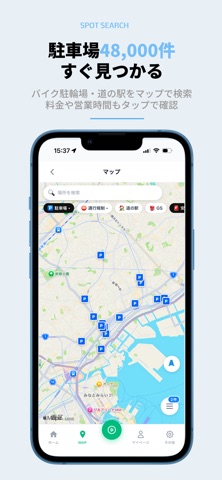
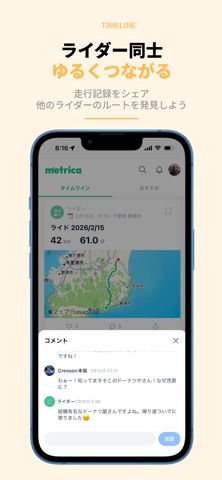
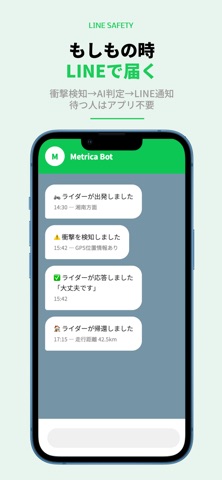
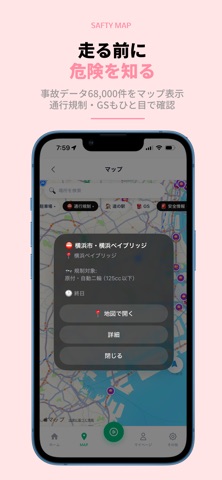
ツーリング記録・ルート共有アプリ「metrica」 GPSで走行ログを自動記録。全国48,000件の駐輪場・道の駅を検索。 LINE見守りで家族も安心。ライダーのための無料アプリ。 走った道が、みんなの地図になる。 metrica(メトリカ)は、ライダーのための走行記録・共有アプリです。 ルートを記録して、シェアして、次の道を見つけよう。 【metricaの特徴】 完全無料・広告なし GPSログ自動記録 - 走るだけで残せる 衝撃検知&LINE通報 - もしもの時の自動連絡 プライバシーゾーン - 自宅周辺を非公開化 都道府県マスター - 全国制覇の達成感 【ルート記録・共有】 ボタンひとつで走行記録スタート。ルート・距離・時間をGPSで自動記録します。 写真やメモをつけてタイムラインに投稿すれば、あなたの走りがみんなの参考になります。 【ルート検索】 他のライダーが走ったルートをタグや地域で検索。 「次どこ行こう?」がすぐ見つかります。 【安全マップ】 警察庁の事故データ68,000件をマップ上に表示。 二輪通行規制やガソリンスタンドもひと目で確認。 知ってい…
App details
What you can learn from metrica - バイクツーリング記録
Every shipping app on the App Store has gone through the same decisions you're working through right now: which screenshot goes first, what caption sits over it, which device frame to show, what color the background should be. The 5 screenshots above are metrica - バイクツーリング記録's answers to those questions — they're public, they're real, and they made it through Apple's review.
What the numbers say: metrica - バイクツーリング記録 runs a light set with one background colour (#ECF4EC) carried across every screenshot — the listing reads as a single poster when the shots sit side by side in search results. The accent colour we picked up, #3C647C, is the one to reuse for badges, arrows and highlighted words if you borrow this look. Hit Use this style to open the editor with these exact colours and drop your own screenshot in.
Notice the first screenshot in particular. It's the one users see in search results and on the product page, and it's where most apps spend their best caption and tightest design. Look at the proportion of background to phone, where the text sits, what one thing the image is trying to communicate.
Want to see how other Navigation apps approach the same problem? Browse more Navigation apps in the showcase.
Take what works into your own screenshots
Open LaunchShots and design your App Store & Google Play screenshots — pick a device frame, drop captions, ship in minutes. Free, in your browser.
Open the screenshot editor →Apps with a similar look
Closest background + accent colours among the listings we've analysed — useful when you want to see the same palette handled by a different team.