Screenshots


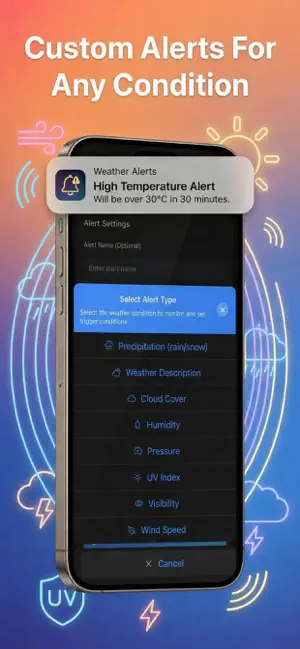

Icon palette
About this app
Get real-time severe weather alerts, official Met Office weather warnings, and live meteorological notifications with our advanced customisable push notification system. Designed to keep you safe across the UK, our app allows you to set precise thresholds for storms, heavy rain, gale-force winds, UV index, cold snaps, and more. Receive instant push notifications the moment your custom conditions are met, alongside official weather warnings sourced directly from trusted national meteorological services. Whether you need a reliable storm tracker, a precise rain alarm, or an emergency flood warning broadcast, this app is your ultimate personal weather safety companion. No more constantly checking heavy, battery-draining radar maps—our smart notification engine delivers ultra-fast text alerts straight to your lock screen when every second counts. Easily monitor multiple locations across t…
App details
What you can learn from Severe Weather Alerts: Storm
Every shipping app on the App Store has gone through the same decisions you're working through right now: which screenshot goes first, what caption sits over it, which device frame to show, what color the background should be. The 5 screenshots above are Severe Weather Alerts: Storm's answers to those questions — they're public, they're real, and they made it through Apple's review.
Notice the first screenshot in particular. It's the one users see in search results and on the product page, and it's where most apps spend their best caption and tightest design. Look at the proportion of background to phone, where the text sits, what one thing the image is trying to communicate.
Want to see how other Weather apps approach the same problem? Browse more Weather apps in the showcase.
Take what works into your own screenshots
Open LaunchShots and design your App Store & Google Play screenshots — pick a device frame, drop captions, ship in minutes. Free, in your browser.
Open the screenshot editor →