Chart position — tracked daily by LaunchShots
Screenshot style breakdown
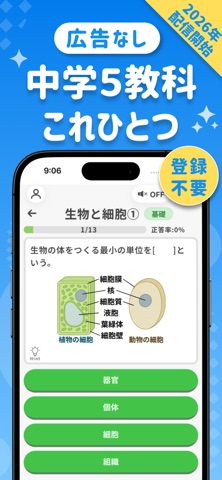
Sampled from 6 of PocoStudy -中学生勉強・高校入試対策's App Store screenshots — background, accent and theme, measured by LaunchShots (not something Apple publishes).
#047CEC bg
#278EEE
#44C44C accent
#FFFFFF text
Screenshots


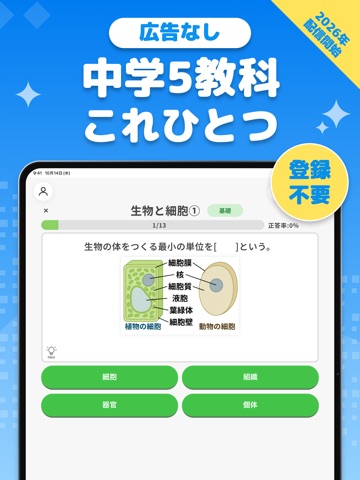
iPad screenshots


Icon palette
About this app
中学生のための5教科学習アプリ「PocoStudy」(ポコスタディ) 中学校の国語・数学・理科・社会・英語を、クイズ形式で手軽に学習できます。 選択式の問題を中心に、スキマ時間でも取り組めます。 すべての問題に解説が付いており、資料や画像も充実しているので、予習・復習にもぴったりです。 16,000問以上を収録しています(有料コンテンツを含む)。 広告なし・基本無料・ユーザー登録不要で始められます。 ■ 自分のレベルに合わせて学べる 「入門編」では、小学校で習う漢字・計算・英単語のおさらいから始められます。 「単元別学習」では、中学校の内容を基礎・発展のレベル別に学習できます。つまずいたときは、漢字の読みや英単語から学び直せます。 ■ 友達や家族と楽しむ「みんなでクイズ」 友達や家族と同じ問題に挑戦し、順位を競います。 一人での学習はもちろん、みんなで楽しみながら復習できます。 ■ 学習を続けられる仕組み 「今日の課題」では、おすすめの問題が表示されるので、迷わず学習を始められます。 「学習リマインダー」では、通知す…
App details
What you can learn from PocoStudy -中学生勉強・高校入試対策
Every shipping app on the App Store has gone through the same decisions you're working through right now: which screenshot goes first, what caption sits over it, which device frame to show, what color the background should be. The 16 screenshots above are PocoStudy -中学生勉強・高校入試対策's answers to those questions — they're public, they're real, and they made it through Apple's review.
What the numbers say: PocoStudy -中学生勉強・高校入試対策 runs a mixed light-and-dark set where the background shifts from screenshot to screenshot (first shot #047CEC) — each image has to stand on its own, so the captions carry more of the story. The accent colour we picked up, #44C44C, is the one to reuse for badges, arrows and highlighted words if you borrow this look. Hit Use this style to open the editor with these exact colours and drop your own screenshot in.
Notice the first screenshot in particular. It's the one users see in search results and on the product page, and it's where most apps spend their best caption and tightest design. Look at the proportion of background to phone, where the text sits, what one thing the image is trying to communicate.
Want to see how other Education apps approach the same problem? Browse more Education apps in the showcase.
Take what works into your own screenshots
Open LaunchShots and design your App Store & Google Play screenshots — pick a device frame, drop captions, ship in minutes. Free, in your browser.
Open the screenshot editor →Apps with a similar look
Closest background + accent colours among the listings we've analysed — useful when you want to see the same palette handled by a different team.