Screenshot style breakdown
Sampled from 3 of 串关计算器's App Store screenshots — background, accent and theme, measured by LaunchShots (not something Apple publishes).
#04141C bg
#27343B
#CC9C4C accent
#FFFFFF text
Screenshots
Icon palette
About this app
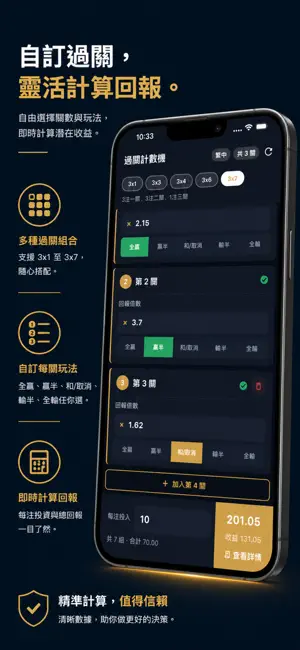
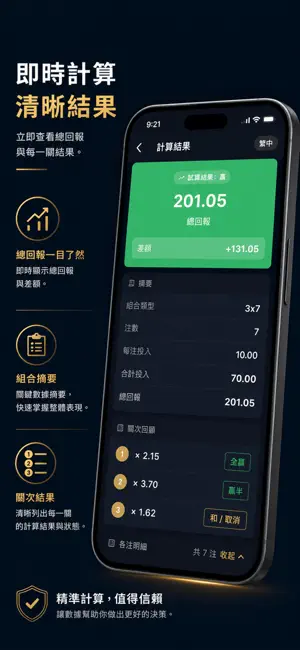
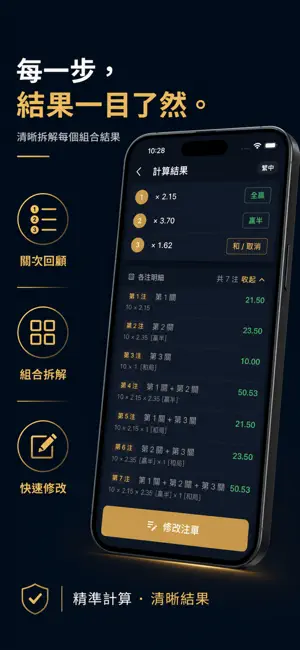
串关计算器 — 最简单易用的串关组合回报计算工具 支持 2x1 至 8x255 共 55 种组合类型,输入倍数及各关结果,即时计算总回报。 主要功能 55 种组合类型:覆盖 2x1、2x3、Lucky 15、Lucky 31、Lucky 63 等所有常见类型 5 种结果状态:全赢、赢半、和 / 取消、输半、全输,完整模拟各种情况 即时计算:输入倍数即时显示结果,无需按确认 详细明细:每组合回报、总回报、差额一目了然 10 种语言:繁体中文、简体中文、英文、日文、韩文、印尼文、泰文、越南文、西班牙文、葡萄牙文 离线运行:无需网络连接,完全保护隐私 免责声明 本应用程序为纯数学计算工具,所有结果均基于用户输入数据,不构成任何财务或专业建议。本工具仅限年满 18 岁人士使用。
App details
What you can learn from 串关计算器
Every shipping app on the App Store has gone through the same decisions you're working through right now: which screenshot goes first, what caption sits over it, which device frame to show, what color the background should be. The 3 screenshots above are 串关计算器's answers to those questions — they're public, they're real, and they made it through Apple's review.
What the numbers say: 串关计算器 runs a dark set with one background colour (#04141C) carried across every screenshot — the listing reads as a single poster when the shots sit side by side in search results. The accent colour we picked up, #CC9C4C, is the one to reuse for badges, arrows and highlighted words if you borrow this look. Hit Use this style to open the editor with these exact colours and drop your own screenshot in.
Notice the first screenshot in particular. It's the one users see in search results and on the product page, and it's where most apps spend their best caption and tightest design. Look at the proportion of background to phone, where the text sits, what one thing the image is trying to communicate.
Want to see how other Sports apps approach the same problem? Browse more Sports apps in the showcase.
Take what works into your own screenshots
Open LaunchShots and design your App Store & Google Play screenshots — pick a device frame, drop captions, ship in minutes. Free, in your browser.
Open the screenshot editor →Apps with a similar look
Closest background + accent colours among the listings we've analysed — useful when you want to see the same palette handled by a different team.