Screenshot style breakdown
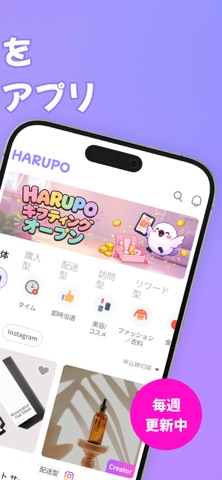
Sampled from 6 of HARUPO's App Store screenshots — background, accent and theme, measured by LaunchShots (not something Apple publishes).
#BC94FC bg
#A582DD
#FC54DC accent
#111111 text
Screenshots



Icon palette
About this app
話題の韓国ブランドや韓国旅行を無料で体験! 楽しみながらポイントも貯まる、お得なポイ活プラットフォーム「HARUPO」 ■ サービス紹介 HARUPOは、日本の皆さんのために誕生した「韓国ブランド体験型リワードプラットフォーム」です。 ビューティー、ファッション、グルメ、さらには韓国旅行まで、今注目のK-ブランドを無料で体験できるチャンス!さらに、簡単なミッションをクリアするだけで、現金化可能なポイントも貯まります。 今すぐHARUPOで、最新の韓国トレンドを楽しみながら、賢く「ポイ活」を始めましょう。 ■ HARUPOのポイント • 韓国の人気アイテムを無料でお試し • K-Beauty、ファッション、韓国グルメ、現地旅行体験など、カテゴリーも豊富! • 話題のブランド製品を無料で体験できる絶好のチャンス! • スマホ一つで、誰でも簡単に応募が可能! • 簡単なミッションでサクサク貯まる! • SNSのフォローや、購入レビュー・星評価の投稿など、短時間で終わるミッションもたくさん! • 活動すればするほど会員レベルもアップ!より多くのポイントが貯まり…
App details
What you can learn from HARUPO
Every shipping app on the App Store has gone through the same decisions you're working through right now: which screenshot goes first, what caption sits over it, which device frame to show, what color the background should be. The 6 screenshots above are HARUPO's answers to those questions — they're public, they're real, and they made it through Apple's review.
What the numbers say: HARUPO runs a light set where the background shifts from screenshot to screenshot (first shot #BC94FC) — each image has to stand on its own, so the captions carry more of the story. The accent colour we picked up, #FC54DC, is the one to reuse for badges, arrows and highlighted words if you borrow this look. Hit Use this style to open the editor with these exact colours and drop your own screenshot in.
Notice the first screenshot in particular. It's the one users see in search results and on the product page, and it's where most apps spend their best caption and tightest design. Look at the proportion of background to phone, where the text sits, what one thing the image is trying to communicate.
Want to see how other Business apps approach the same problem? Browse more Business apps in the showcase.
Take what works into your own screenshots
Open LaunchShots and design your App Store & Google Play screenshots — pick a device frame, drop captions, ship in minutes. Free, in your browser.
Open the screenshot editor →Apps with a similar look
Closest background + accent colours among the listings we've analysed — useful when you want to see the same palette handled by a different team.