Screenshot changes — detected by LaunchShots
Screenshot style breakdown
Sampled from 5 of Yaqin: Coran Audio Mushaf's App Store screenshots — background, accent and theme, measured by LaunchShots (not something Apple publishes).
#9CD4B4 bg
#89BA9E
#5CA484 accent
#111111 text
Reading the caption text from the screenshots in your browser…
Screenshots

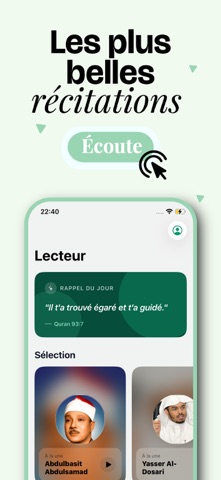


iPad screenshots

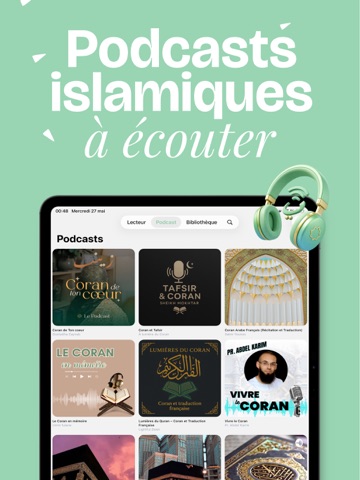

Icon palette
About this app
Écoutez le Coran récité par plus de 200 récitateurs de renommée mondiale — entièrement gratuit, sans publicité et sans abonnement. Yaqin met toute la beauté de la récitation du Coran au bout de vos doigts : versets synchronisés, écoute hors ligne et une expérience audio soignée, pensée pour les musulmans. RÉCITATION DU CORAN - Plus de 200 récitateurs, dont Mishary Alafasy, Abdul Basit, Al-Sudais et Maher Al-Muaiqly - Versets synchronisés — suivez chaque ayah en temps réel - Lecture automatique de la sourate suivante pour une écoute continue - Plusieurs riwayat (transmissions de lecture) disponibles LECTEUR DE MUSHAF - Lisez le Coran selon les règles du Tajwid, avec les lectures Hafs et Warsh (couleurs intégrées) - Téléchargez les pages pour une lecture hors ligne - Mémorisez votre dernière page lue PODCASTS ISLAMIQUES - Découvrez des podcasts en français, en anglais, en arabe et en …
App details
What you can learn from Yaqin: Coran Audio Mushaf
Every shipping app on the App Store has gone through the same decisions you're working through right now: which screenshot goes first, what caption sits over it, which device frame to show, what color the background should be. The 10 screenshots above are Yaqin: Coran Audio Mushaf's answers to those questions — they're public, they're real, and they made it through Apple's review.
What the numbers say: Yaqin: Coran Audio Mushaf runs a light set where the background shifts from screenshot to screenshot (first shot #9CD4B4) — each image has to stand on its own, so the captions carry more of the story. The accent colour we picked up, #5CA484, is the one to reuse for badges, arrows and highlighted words if you borrow this look. Hit Use this style to open the editor with these exact colours and drop your own screenshot in.
Notice the first screenshot in particular. It's the one users see in search results and on the product page, and it's where most apps spend their best caption and tightest design. Look at the proportion of background to phone, where the text sits, what one thing the image is trying to communicate.
Want to see how other Reference apps approach the same problem? Browse more Reference apps in the showcase.
Take what works into your own screenshots
Open LaunchShots and design your App Store & Google Play screenshots — pick a device frame, drop captions, ship in minutes. Free, in your browser.
Open the screenshot editor →Apps with a similar look
Closest background + accent colours among the listings we've analysed — useful when you want to see the same palette handled by a different team.