Chart position — tracked daily by LaunchShots
Screenshot changes — detected by LaunchShots
Screenshot style breakdown
Sampled from 6 of ガソナビ - ガソリン価格マップ&給油記録's App Store screenshots — background, accent and theme, measured by LaunchShots (not something Apple publishes).
#FCFCFC bg
#DDDDDD
#DC3C34 accent
#111111 text
Reading the caption text from the screenshots in your browser…
Screenshots




Icon palette
About this app
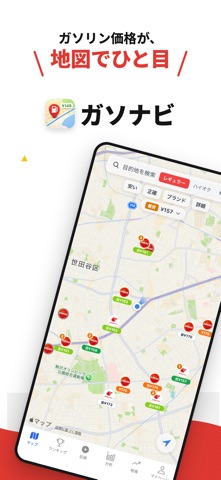
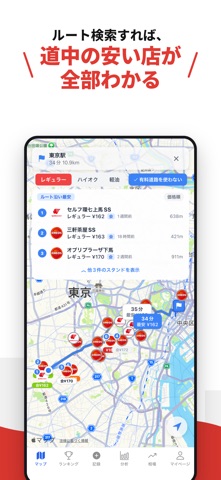
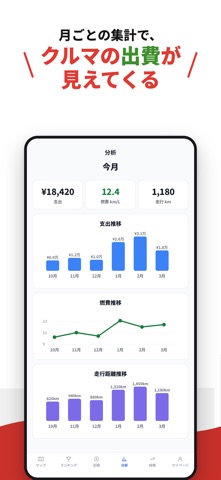
ガソリン代、年間いくら使っているか把握していますか? 毎回「どこが安い?」と迷っていませんか? ガソナビが、その悩みをまとめて解決します。 --- ガソナビでできること --- ◆ 多面的なアルゴリズムで精度を担保した「信頼できる価格」だけを表示 ガソナビは複数の独立した補正アルゴリズム(同油種・別油種・近隣スタンド・全国/都道府県のトレンド)を組み合わせ、それぞれをクロスバリデーションして相互検証。地域ごとの価格傾向も加味した上で、十分な精度が確認できた価格だけを表示します。 精度が確認できなかった価格は「データなし」として非表示にする方針なので、誤った価格に惑わされる心配がありません。価格には「○時間前に投稿」「○日前から補正」などの鮮度ラベルが付くので、データの新しさが一目でわかります。市街地から地方まで、投稿が少ないエリアでも安心してチェックできます。 ◆ 通り道で一番安いスタンドを自動提案 目的地を入力すると、Google Routes APIで算出した実際のルート沿いにあるスタンドだけを抽出し、安い順で提案…
App details
What you can learn from ガソナビ - ガソリン価格マップ&給油記録
Every shipping app on the App Store has gone through the same decisions you're working through right now: which screenshot goes first, what caption sits over it, which device frame to show, what color the background should be. The 7 screenshots above are ガソナビ - ガソリン価格マップ&給油記録's answers to those questions — they're public, they're real, and they made it through Apple's review.
What the numbers say: ガソナビ - ガソリン価格マップ&給油記録 runs a light set with one background colour (#FCFCFC) carried across every screenshot — the listing reads as a single poster when the shots sit side by side in search results. The accent colour we picked up, #DC3C34, is the one to reuse for badges, arrows and highlighted words if you borrow this look. Hit Use this style to open the editor with these exact colours and drop your own screenshot in.
Notice the first screenshot in particular. It's the one users see in search results and on the product page, and it's where most apps spend their best caption and tightest design. Look at the proportion of background to phone, where the text sits, what one thing the image is trying to communicate.
Want to see how other Navigation apps approach the same problem? Browse more Navigation apps in the showcase.
Take what works into your own screenshots
Open LaunchShots and design your App Store & Google Play screenshots — pick a device frame, drop captions, ship in minutes. Free, in your browser.
Open the screenshot editor →Apps with a similar look
Closest background + accent colours among the listings we've analysed — useful when you want to see the same palette handled by a different team.