Screenshot changes — detected by LaunchShots
Screenshot style breakdown
Sampled from 6 of MiraBridge AI Code Remote's App Store screenshots — background, accent and theme, measured by LaunchShots (not something Apple publishes).
#0C1C3C bg
#2E3B57
#04A49C accent
#FFFFFF text
Screenshots


iPad screenshots
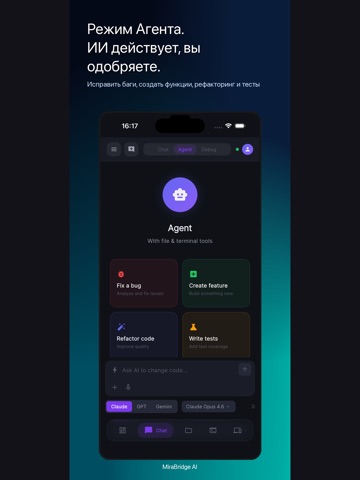
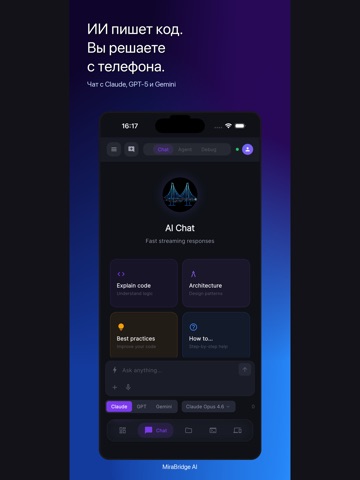
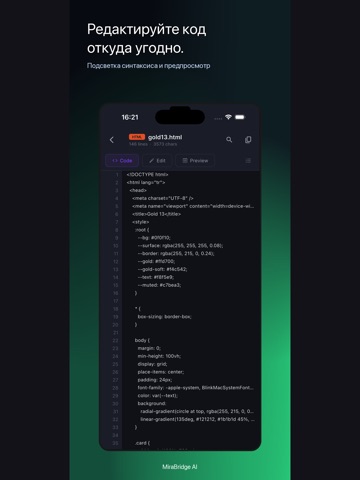


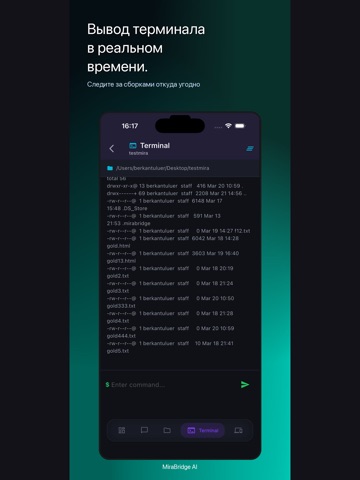
Icon palette
About this app
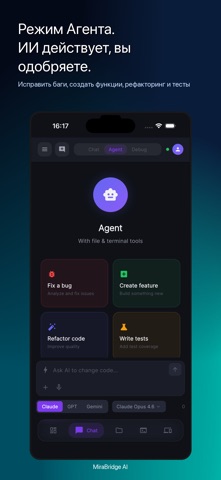
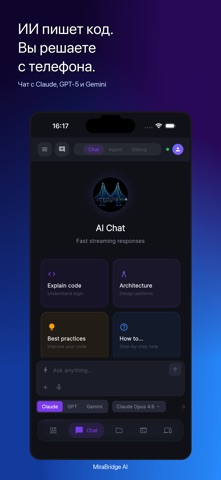
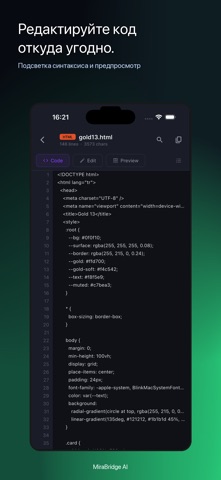
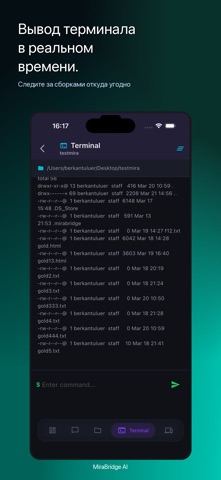
MiraBridge AI помогает оставаться на связи с активными сессиями разработки с телефона. Запустите сессию на компьютере, а затем следите за прогрессом, просматривайте код, подтверждайте действия агента, контролируйте вывод терминала и отвечайте, когда workflow требует вашего решения. Приложение создано для разработчиков, которые перемещаются между рабочим местом, встречами, поездками и фокусной работой. MiraBridge дает удобный мобильный интерфейс для процессов, уже запущенных в вашем workspace. УДАЛЕННОЕ УПРАВЛЕНИЕ AI-КОДИНГОМ Отслеживайте прогресс агента, проверяйте предложенные изменения и продолжайте сессию, не сидя постоянно за компьютером. CODE REVIEW С ТЕЛЕФОНА Открывайте файлы, изучайте изменения, читайте diff и подтверждайте или отклоняйте действия инструментов в понятном мобильном потоке. ТЕРМИНАЛ И СБОРКИ НА ВИДУ Смотрите вывод команд в реальном времени, проверяйте сборки и …
App details
What you can learn from MiraBridge AI Code Remote
Every shipping app on the App Store has gone through the same decisions you're working through right now: which screenshot goes first, what caption sits over it, which device frame to show, what color the background should be. The 14 screenshots above are MiraBridge AI Code Remote's answers to those questions — they're public, they're real, and they made it through Apple's review.
What the numbers say: MiraBridge AI Code Remote runs a dark set where the background shifts from screenshot to screenshot (first shot #0C1C3C) — each image has to stand on its own, so the captions carry more of the story. The accent colour we picked up, #04A49C, is the one to reuse for badges, arrows and highlighted words if you borrow this look. Hit Use this style to open the editor with these exact colours and drop your own screenshot in.
Notice the first screenshot in particular. It's the one users see in search results and on the product page, and it's where most apps spend their best caption and tightest design. Look at the proportion of background to phone, where the text sits, what one thing the image is trying to communicate.
Want to see how other Developer Tools apps approach the same problem? Browse more Developer Tools apps in the showcase.
Take what works into your own screenshots
Open LaunchShots and design your App Store & Google Play screenshots — pick a device frame, drop captions, ship in minutes. Free, in your browser.
Open the screenshot editor →Apps with a similar look
Closest background + accent colours among the listings we've analysed — useful when you want to see the same palette handled by a different team.