Chart position — tracked daily by LaunchShots
Screenshot changes — detected by LaunchShots
Screenshot style breakdown
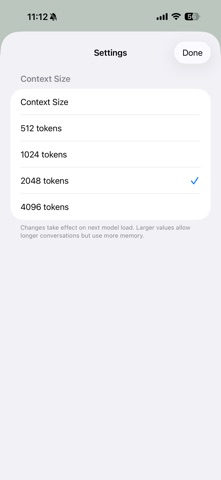
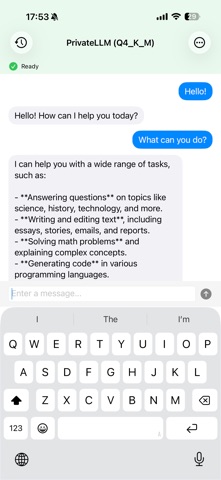
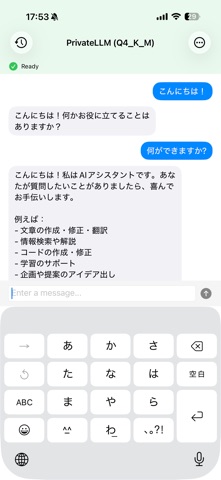
Sampled from 3 of Qwen3.5LocalLLMApp's App Store screenshots — background, accent and theme, measured by LaunchShots (not something Apple publishes).
#F4F4F4 bg
#D6D6D6
#7494BC accent
#111111 text
Screenshots
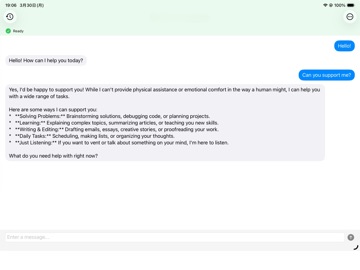
iPad screenshots
Icon palette
About this app
PrivateLLMApp は、強力なAI会話機能をあなたのiPhoneに直接届けます。すべての処理はデバイス上で完結。会話データが外部サーバーに送信されることは一切ありません。チャット中にインターネット接続も不要です。 世界トップクラスのオープンソース大規模言語モデルを実行可能。日常の質問への回答、文章作成サポート、コーディングの相談、アイデア出しなど、幅広い用途でインテリジェントな回答を提供します。 主な機能 完全プライベート すべての会話はデバイス内で完結。アカウント登録不要・クラウド不要・データ収集なし。 完全オフライン動作 モデルを読み込んだあとは、インターネット接続なしで使用できます。 AIの思考プロセスを可視化 Qwen3.5 の拡張思考モードに対応。「思考過程を見る」をタップすると、AIが複雑な問題をどのように段階的に考えているか確認できます。 会話履歴の保存 すべての会話は自動で保存されます。左上の履歴ボタンから過去の会話を閲覧・再開・削除できます。 回答テキストのコピー AIの回答を長押しすることでテキスト…
App details
What you can learn from Qwen3.5LocalLLMApp
Every shipping app on the App Store has gone through the same decisions you're working through right now: which screenshot goes first, what caption sits over it, which device frame to show, what color the background should be. The 4 screenshots above are Qwen3.5LocalLLMApp's answers to those questions — they're public, they're real, and they made it through Apple's review.
What the numbers say: Qwen3.5LocalLLMApp runs a light set with one background colour (#F4F4F4) carried across every screenshot — the listing reads as a single poster when the shots sit side by side in search results. The accent colour we picked up, #7494BC, is the one to reuse for badges, arrows and highlighted words if you borrow this look. Hit Use this style to open the editor with these exact colours and drop your own screenshot in.
Notice the first screenshot in particular. It's the one users see in search results and on the product page, and it's where most apps spend their best caption and tightest design. Look at the proportion of background to phone, where the text sits, what one thing the image is trying to communicate.
Want to see how other Developer Tools apps approach the same problem? Browse more Developer Tools apps in the showcase.
Take what works into your own screenshots
Open LaunchShots and design your App Store & Google Play screenshots — pick a device frame, drop captions, ship in minutes. Free, in your browser.
Open the screenshot editor →Apps with a similar look
Closest background + accent colours among the listings we've analysed — useful when you want to see the same palette handled by a different team.