Chart position — tracked daily by LaunchShots
Screenshot changes — detected by LaunchShots
Screenshot style breakdown
Sampled from 5 of 奶蛙 - 点一下就狂笑抽象魔性's App Store screenshots — background, accent and theme, measured by LaunchShots (not something Apple publishes).
#FCFCFC bg
#DDDDDD
#FCD46C accent
#111111 text
Screenshots


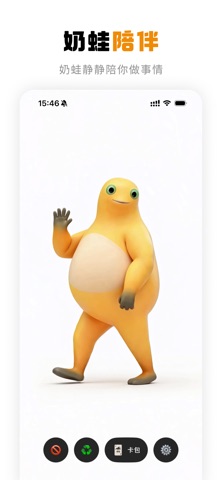


iPad screenshots


Icon palette
About this app
点一下,就够了。 奶蛙站在那里,安安静静。你点了它一下——它开始狂笑。捧腹、颤抖、喘不上气,笑到整个身体都在发抖。最后,笑晕了。 点击即笑 点一下奶蛙,看它当场发疯。每张卡都是一个不同的场景——惊鸿一瞥、龟速前进、与警察对视、被苹果砸中脑袋。每一个都以混乱收场。 倒放模式 播放中点击屏幕左侧,整段视频倒着来。奶蛙从晕倒中坐起来,苹果飞回天上,笑声被吸回去。倒着看,居然更好笑。 循环播放 开启循环模式,奶蛙永不停歇。无限循环的魔性影像,适合在群聊里精神输出,也适合一个人反复洗脑。 收集卡包 解锁更多场景,解锁更多让奶蛙大笑的方式。每张卡都是一个独立的趣味交互。 镜像翻转 在设置中选择镜像,将奶蛙翻转产生更多有趣的变化。 警告:本 app 具有极强传染性。副作用包括但不限于:在公共场合无故发笑、连续播放 47 遍停不下来、以及把它发给所有你认识的人。
App details
What you can learn from 奶蛙 - 点一下就狂笑抽象魔性
Every shipping app on the App Store has gone through the same decisions you're working through right now: which screenshot goes first, what caption sits over it, which device frame to show, what color the background should be. The 10 screenshots above are 奶蛙 - 点一下就狂笑抽象魔性's answers to those questions — they're public, they're real, and they made it through Apple's review.
What the numbers say: 奶蛙 - 点一下就狂笑抽象魔性 runs a light set with one background colour (#FCFCFC) carried across every screenshot — the listing reads as a single poster when the shots sit side by side in search results. The accent colour we picked up, #FCD46C, is the one to reuse for badges, arrows and highlighted words if you borrow this look. Hit Use this style to open the editor with these exact colours and drop your own screenshot in.
Notice the first screenshot in particular. It's the one users see in search results and on the product page, and it's where most apps spend their best caption and tightest design. Look at the proportion of background to phone, where the text sits, what one thing the image is trying to communicate.
Want to see how other Music apps approach the same problem? Browse more Music apps in the showcase.
Take what works into your own screenshots
Open LaunchShots and design your App Store & Google Play screenshots — pick a device frame, drop captions, ship in minutes. Free, in your browser.
Open the screenshot editor →Apps with a similar look
Closest background + accent colours among the listings we've analysed — useful when you want to see the same palette handled by a different team.