Screenshot changes — detected by LaunchShots
Screenshot style breakdown
Sampled from 5 of numr's App Store screenshots — background, accent and theme, measured by LaunchShots (not something Apple publishes).
#FCFCFC bg
#DDDDDD
#C4946C accent
#111111 text
Reading the caption text from the screenshots in your browser…
Screenshots




iPad screenshots


Icon palette
About this app
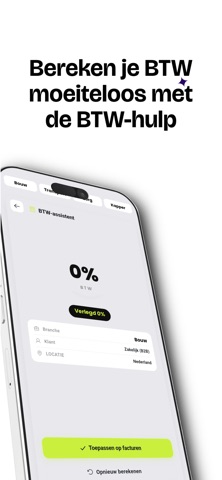
numr — Facturen maken was nog nooit zo simpel numr is dé facturatie-app voor zzp'ers, freelancers en ondernemers in Nederland. Maak binnen een minuut een professionele offerte of factuur en verstuur deze direct als PDF per e-mail naar je klant. WAAROM NUMR? Facturen en offertes: maak onbeperkt professionele documenten met doorlopende nummering. BTW automatisch berekend: 21 procent, 9 procent, verlegd of nultarief, numr rekent alles voor je uit. Direct versturen: je factuur gaat als nette PDF rechtstreeks naar de inbox van je klant. Creditnota's: corrigeer een factuur met een tik, inclusief verwijzing naar de originele factuur. Offerte omzetten naar factuur: zet een geaccepteerde offerte om in een factuur met een druk op de knop. Klantenbeheer: bewaar al je klanten met KvK- en btw-gegevens op een plek. Betaalstatus: zie in een oogopslag welke facturen opensta…
App details
What you can learn from numr
Every shipping app on the App Store has gone through the same decisions you're working through right now: which screenshot goes first, what caption sits over it, which device frame to show, what color the background should be. The 8 screenshots above are numr's answers to those questions — they're public, they're real, and they made it through Apple's review.
What the numbers say: numr runs a light set with one background colour (#FCFCFC) carried across every screenshot — the listing reads as a single poster when the shots sit side by side in search results. The accent colour we picked up, #C4946C, is the one to reuse for badges, arrows and highlighted words if you borrow this look. Hit Use this style to open the editor with these exact colours and drop your own screenshot in.
Notice the first screenshot in particular. It's the one users see in search results and on the product page, and it's where most apps spend their best caption and tightest design. Look at the proportion of background to phone, where the text sits, what one thing the image is trying to communicate.
Want to see how other Finance apps approach the same problem? Browse more Finance apps in the showcase.
Take what works into your own screenshots
Open LaunchShots and design your App Store & Google Play screenshots — pick a device frame, drop captions, ship in minutes. Free, in your browser.
Open the screenshot editor →Apps with a similar look
Closest background + accent colours among the listings we've analysed — useful when you want to see the same palette handled by a different team.