Screenshots

Icon palette
About this app
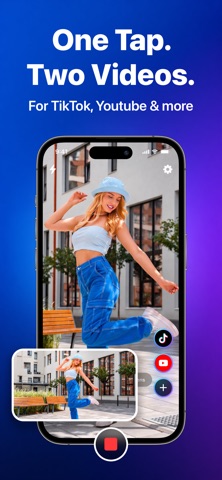
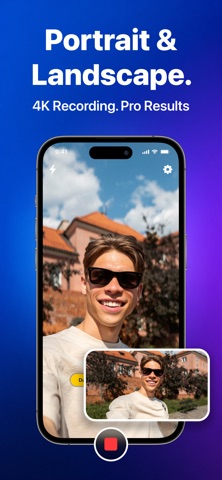
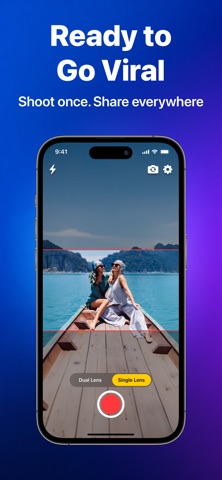
Record once. Get two videos. Ready for every platform. Dual Recorder captures video and instantly produces two perfectly cropped versions - a vertical 9:16 for TikTok, Reels, and Shorts, plus a horizontal 16:9 for YouTube, TV, and presentations. One tap. Two files. Zero editing. DUAL LENS CAPTURE On supported iPhones, Dual Recorder activates two rear cameras simultaneously - wide-angle and ultra-wide (or telephoto) - giving you two live perspectives at once. A draggable Picture-in-Picture preview lets you monitor both feeds in real time. SMART DUAL OUTPUT Every recording saves two perfectly synchronized video files directly to your Photos library: • Portrait (9:16) - optimized for vertical platforms • Landscape (16:9) - optimized for widescreen viewing Both files share identical timestamps, frame for frame. PROFESSIONAL QUALITY • Up to 4K resolution at 24, 30, or 60 fps • HEVC (H.26…
App details
What you can learn from Dual Recorder: DuoShot Camera
Every shipping app on the App Store has gone through the same decisions you're working through right now: which screenshot goes first, what caption sits over it, which device frame to show, what color the background should be. The 4 screenshots above are Dual Recorder: DuoShot Camera's answers to those questions — they're public, they're real, and they made it through Apple's review.
Notice the first screenshot in particular. It's the one users see in search results and on the product page, and it's where most apps spend their best caption and tightest design. Look at the proportion of background to phone, where the text sits, what one thing the image is trying to communicate.
Want to see how other Photo & Video apps approach the same problem? Browse more Photo & Video apps in the showcase.
Take what works into your own screenshots
Open LaunchShots and design your App Store & Google Play screenshots — pick a device frame, drop captions, ship in minutes. Free, in your browser.
Open the screenshot editor →