Screenshot style breakdown
Sampled from 6 of Parsel & İmar Sorgulama's App Store screenshots — background, accent and theme, measured by LaunchShots (not something Apple publishes).
#14241C bg
#34423B
#4C649C accent
#FFFFFF text
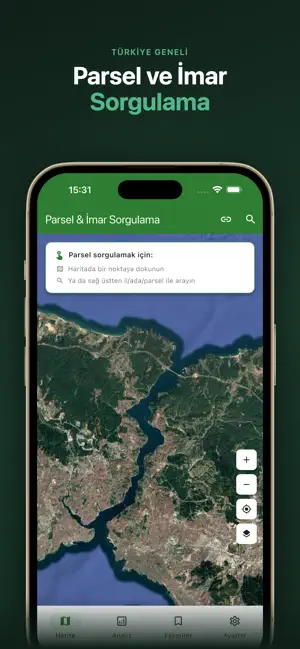
- #1TÜRKİYE GENELİ Parsel ve İmar Sorgulama
- #2Raporu PDF Olarak Al
- #3Detaylı Harita Görünümü
- #4Parselleri Takibe Alin
- #5ALIM SATIM ANALİZİ Yıllara Göre Analiz
- #6KİŞİSEL NOTLAR Parsele Not
Captions read from the screenshots (OCR, may contain small errors): 6 headlines, 4.3 words on average (longest 6).
Screenshots


Icon palette
About this app
Haritaya bir kez dokun - parsel sınırı çizilsin, tüm kadastro bilgisi önüne gelsin. Arazi, Tapu ve Kadastro Genel Müdürlüğü’nün (TKGM) resmi verilerini kullanarak Türkiye genelinde herhangi bir parseli saniyeler içinde bulmanı sağlar. Arazi satın almayı düşünüyor musun? Komşu parselin kimin adına kayıtlı olduğunu mu merak ediyorsun? Bir miras parseli mi araştırıyorsun? Arazi tam sana göre. ----------------------------- NASIL ÇALIŞIR? ----------------------------- - Haritada herhangi bir noktaya dokun - Yeşil parsel sınırı anında çizilir - Ada no, parsel no, yüzölçüm, nitelik, mevkii ve zemin durumu tek ekranda görünür - İstediğin kadar parsel seç, yan yana karşılaştır ----------------------------- MANUEL ARAMA - İl -> İlçe -> Mahalle -> Ada -> Parsel adım adım sorgulama - Arama geçmişi otomatik kaydedilir - Türkiye’nin 81 ili, tüm ilçe ve mahalleleri k…
App details
What you can learn from Parsel & İmar Sorgulama
Every shipping app on the App Store has gone through the same decisions you're working through right now: which screenshot goes first, what caption sits over it, which device frame to show, what color the background should be. The 6 screenshots above are Parsel & İmar Sorgulama's answers to those questions — they're public, they're real, and they made it through Apple's review.
What the numbers say: Parsel & İmar Sorgulama runs a mixed light-and-dark set where the background shifts from screenshot to screenshot (first shot #14241C) — each image has to stand on its own, so the captions carry more of the story. The accent colour we picked up, #4C649C, is the one to reuse for badges, arrows and highlighted words if you borrow this look. Hit Use this style to open the editor with these exact colours and drop your own screenshot in.
Notice the first screenshot in particular. It's the one users see in search results and on the product page, and it's where most apps spend their best caption and tightest design. Look at the proportion of background to phone, where the text sits, what one thing the image is trying to communicate.
Want to see how other Navigation apps approach the same problem? Browse more Navigation apps in the showcase.
Take what works into your own screenshots
Open LaunchShots and design your App Store & Google Play screenshots — pick a device frame, drop captions, ship in minutes. Free, in your browser.
Open the screenshot editor →Apps with a similar look
Closest background + accent colours among the listings we've analysed — useful when you want to see the same palette handled by a different team.