Screenshots



Icon palette
About this app
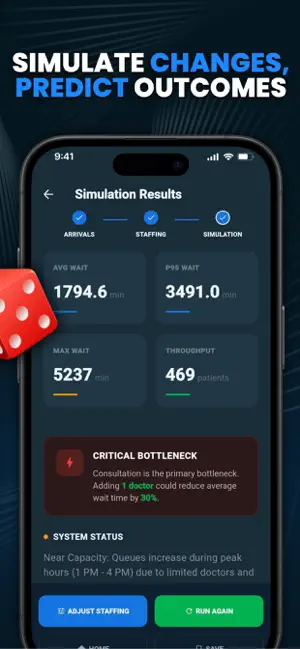
Managing patient flow in a healthcare environment is a complex balancing act where arrival surges, staffing levels, and intake efficiency determine whether a clinic operates smoothly or faces overwhelming bottlenecks. Hospital administrators often struggle to predict how small changes in staffing can ripple through the entire patient journey. Hospital Patient Intake Flow Lab is designed to bring analytical clarity to these challenges by allowing users to model clinical operations and simulate how different configurations impact patient waiting times and station utilization. The experience provides a structured environment for modeling the patient intake process, from front-desk registration to triage and doctor consultations. Users can define simulation parameters such as peak arrival patterns, service time distributions, and staffing counts for each stage of care. Instead of relying on…
App details
What you can learn from Setky App
Every shipping app on the App Store has gone through the same decisions you're working through right now: which screenshot goes first, what caption sits over it, which device frame to show, what color the background should be. The 4 screenshots above are Setky App's answers to those questions — they're public, they're real, and they made it through Apple's review.
Notice the first screenshot in particular. It's the one users see in search results and on the product page, and it's where most apps spend their best caption and tightest design. Look at the proportion of background to phone, where the text sits, what one thing the image is trying to communicate.
Want to see how other Reference apps approach the same problem? Browse more Reference apps in the showcase.
Take what works into your own screenshots
Open LaunchShots and design your App Store & Google Play screenshots — pick a device frame, drop captions, ship in minutes. Free, in your browser.
Open the screenshot editor →