Screenshot style breakdown
Sampled from 4 of みんなのアプリ -個人開発をタイムラインで-'s App Store screenshots — background, accent and theme, measured by LaunchShots (not something Apple publishes).
#FCFCFC bg
#DDDDDD
#FCA404 accent
#111111 text
Reading the caption text from the screenshots in your browser…
Screenshots

Icon palette
About this app
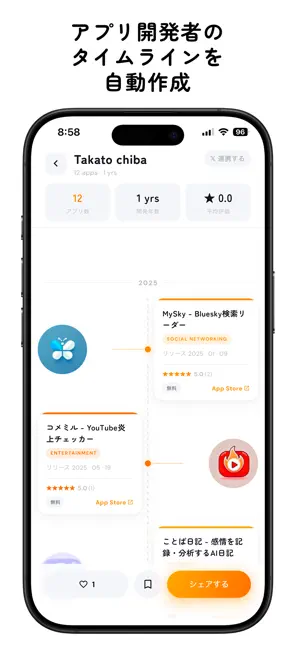
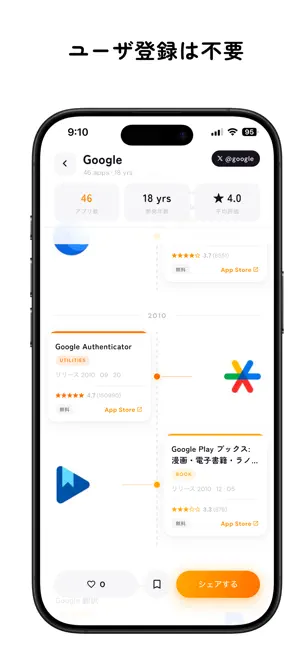
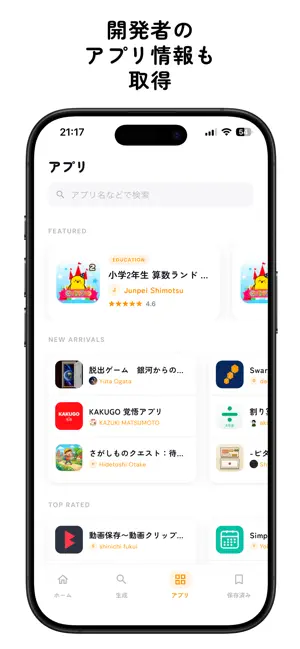
あの開発者、いつからアプリを作り始めたんだろう? 「みんなのアプリ」は、個人開発者のApp Store履歴を タイムライン形式で可視化・シェアできるサービスです。 【こんな使い方ができます】 ・開発者の名前を入力するだけで、 これまでにリリースしたアプリ一覧がタイムラインに ・初めてのリリースから最新作まで、開発の歴史が一目でわかる ・タイムラインをXでシェアして、開発者を応援しよう 【主な機能】 ▶ タイムライン生成 開発者名を検索するだけで、App Storeのアプリ履歴を自動取得。 公開日順に並べたタイムラインを即座に生成します。 ▶ アプリ一覧 登録された全アプリを「新着」「高評価」「カテゴリ」で絞り込み。 気になるアプリをすぐに見つけられます。 ▶ いいね・ブックマーク お気に入りの開発者のタイムラインに「いいね」したり、 ブックマークして後から見返すことができます。 ▶ Xアカウント連携(任意) Xアカウントと連携すると、タイムラインにプロフィール画像が表示されます。 連携は任意です。登録・連携しなくても全機能を利…
App details
What you can learn from みんなのアプリ -個人開発をタイムラインで-
Every shipping app on the App Store has gone through the same decisions you're working through right now: which screenshot goes first, what caption sits over it, which device frame to show, what color the background should be. The 4 screenshots above are みんなのアプリ -個人開発をタイムラインで-'s answers to those questions — they're public, they're real, and they made it through Apple's review.
What the numbers say: みんなのアプリ -個人開発をタイムラインで- runs a light set with one background colour (#FCFCFC) carried across every screenshot — the listing reads as a single poster when the shots sit side by side in search results. The accent colour we picked up, #FCA404, is the one to reuse for badges, arrows and highlighted words if you borrow this look. Hit Use this style to open the editor with these exact colours and drop your own screenshot in.
Notice the first screenshot in particular. It's the one users see in search results and on the product page, and it's where most apps spend their best caption and tightest design. Look at the proportion of background to phone, where the text sits, what one thing the image is trying to communicate.
Want to see how other Developer Tools apps approach the same problem? Browse more Developer Tools apps in the showcase.
Take what works into your own screenshots
Open LaunchShots and design your App Store & Google Play screenshots — pick a device frame, drop captions, ship in minutes. Free, in your browser.
Open the screenshot editor →Apps with a similar look
Closest background + accent colours among the listings we've analysed — useful when you want to see the same palette handled by a different team.