Screenshots



Icon palette
About this app
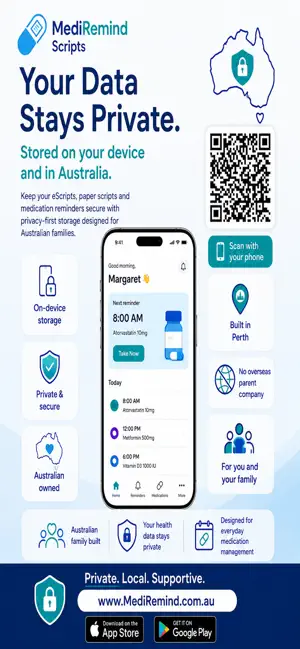
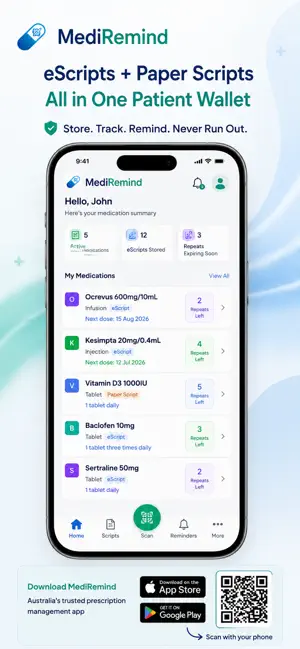
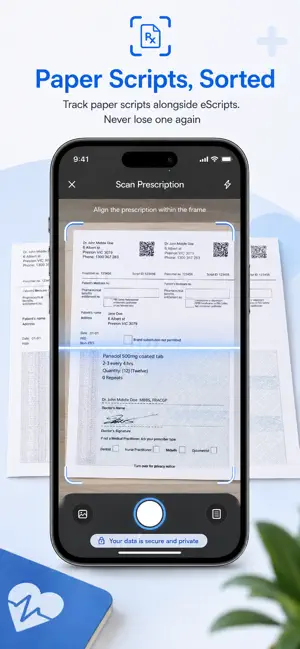
My mother manages 8 medications every day. Paper scripts everywhere. eScripts expiring without warning. We kept running out, losing track, and worrying. So we built MediRemind for her. Now she never misses a dose. Our family never worries. If someone you love relies on daily medications — this app was made for them. Zero lost scripts. Zero missed repeats. Frictionless. Designed with patients in mind. - Missing your medication isn't a memory problem. It's a system problem. We fixed it. - MediRemind is Australia's prescription manager — built for the way Australians actually manage their medications today. TRACK YOUR eSCRIPTS - Store every PBS and private prescription in one place - See exactly how many repeats remain on each medication - Get notified before you run out — never miss a refill again - Import eScripts directly from SMS or camera — saved offline instantly - QR codes…
App details
What you can learn from MediRemind Scripts
Every shipping app on the App Store has gone through the same decisions you're working through right now: which screenshot goes first, what caption sits over it, which device frame to show, what color the background should be. The 6 screenshots above are MediRemind Scripts's answers to those questions — they're public, they're real, and they made it through Apple's review.
Notice the first screenshot in particular. It's the one users see in search results and on the product page, and it's where most apps spend their best caption and tightest design. Look at the proportion of background to phone, where the text sits, what one thing the image is trying to communicate.
Want to see how other Medical apps approach the same problem? Browse more Medical apps in the showcase.
Take what works into your own screenshots
Open LaunchShots and design your App Store & Google Play screenshots — pick a device frame, drop captions, ship in minutes. Free, in your browser.
Open the screenshot editor →