Chart position — tracked daily by LaunchShots
Screenshot style breakdown
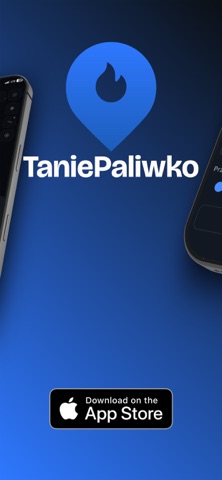
Sampled from 5 of TaniePaliwko's App Store screenshots — background, accent and theme, measured by LaunchShots (not something Apple publishes).
#141C24 bg
#343B42
#2C6CE4 accent
#FFFFFF text
Screenshots



Icon palette
About this app
TaniePaliwko to aplikacja do sprawdzania cen paliw na stacjach benzynowych w Polsce. Działa na danych zgłaszanych przez kierowców, dzięki czemu ceny są aktualne i pochodzą z pierwszej ręki. Po uruchomieniu aplikacji natychmiast otrzymujesz dostęp do pobliskich stacji paliw wraz z aktualnymi cenami wszystkich dostępnych rodzajów paliwa. Informacje prezentowane są bezpośrednio na mapie, dzięki czemu nie ma potrzeby przeglądania list czy samodzielnego porównywania ofert. Już na pierwszy rzut oka widać, która stacja oferuje najbardziej korzystne warunki. Ceny prezentowane w aplikacji pochodzą z bieżących zgłoszeń użytkowników. System analizuje napływające informacje i dba o ich aktualność, dzięki czemu wartości widoczne na mapie odzwierciedlają realne ceny na stacjach. Dzięki temu rozwiązaniu nie musisz zapamiętywać, gdzie ostatnio było taniej, ani śledzić cen przy każdym mijaniu stacji.…
App details
What you can learn from TaniePaliwko
Every shipping app on the App Store has gone through the same decisions you're working through right now: which screenshot goes first, what caption sits over it, which device frame to show, what color the background should be. The 5 screenshots above are TaniePaliwko's answers to those questions — they're public, they're real, and they made it through Apple's review.
What the numbers say: TaniePaliwko runs a dark set where the background shifts from screenshot to screenshot (first shot #141C24) — each image has to stand on its own, so the captions carry more of the story. The accent colour we picked up, #2C6CE4, is the one to reuse for badges, arrows and highlighted words if you borrow this look. Hit Use this style to open the editor with these exact colours and drop your own screenshot in.
Notice the first screenshot in particular. It's the one users see in search results and on the product page, and it's where most apps spend their best caption and tightest design. Look at the proportion of background to phone, where the text sits, what one thing the image is trying to communicate.
Want to see how other Navigation apps approach the same problem? Browse more Navigation apps in the showcase.
Take what works into your own screenshots
Open LaunchShots and design your App Store & Google Play screenshots — pick a device frame, drop captions, ship in minutes. Free, in your browser.
Open the screenshot editor →Apps with a similar look
Closest background + accent colours among the listings we've analysed — useful when you want to see the same palette handled by a different team.