Chart position — tracked daily by LaunchShots
Screenshot changes — detected by LaunchShots
Screenshot style breakdown
Sampled from 5 of Piik's App Store screenshots — background, accent and theme, measured by LaunchShots (not something Apple publishes).
#044CFC bg
#2765FC
#FC6404 accent
#FFFFFF text
Screenshots


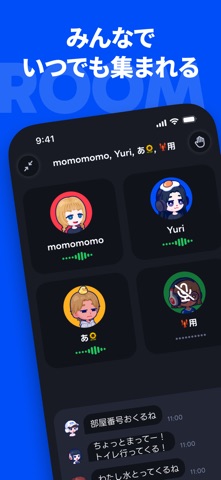

iPad screenshots
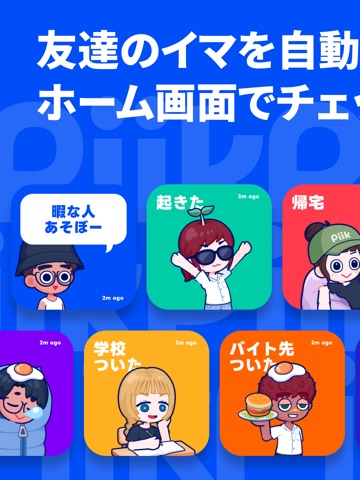
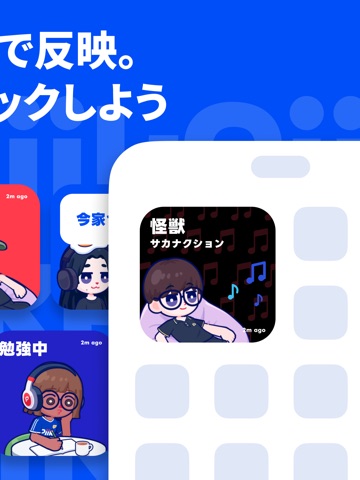


Icon palette
About this app
Piikは、仲の良い友達が今何しているかがすぐに分かるアプリです。 友達のゲームプレイ中・帰宅・学校にいる・歩いている など、友達の"今"が、リアルタイムにスマホのホーム画面とアプリ内ですぐに分かります。友達それぞれのアバターが、その人の"今"と連動して動きます。 Piikは自動であなたのステータスを連携し、友達に表示します。わざわざ自分でステータスを更新しなくても友達とステータスを共有できます。仲の良い友達を誘って、もっと、友達の今を知ろう。そしてもっと仲良くなろう。 ■ 自動ステータス連携でこれが分かる ・端末の位置情報とモーション情報を連携して、自動で以下のステータスをPiikが判定 ・友達が家に帰ってきた / 起きた / 学校にいる / 外出している / 歩いている / 走っている ・今連携したゲームを遊んでいるか ・Piikを開いていて話せそうか ■ あなたの"今"と連動するアバター ・寝ている時はアバターも眠り、学校にいる時はアバターが学校に。あなたの行動と連動してアバターが動く ・髪型・服・メガネ・帽子などを選んで着せ替…
App details
What you can learn from Piik
Every shipping app on the App Store has gone through the same decisions you're working through right now: which screenshot goes first, what caption sits over it, which device frame to show, what color the background should be. The 10 screenshots above are Piik's answers to those questions — they're public, they're real, and they made it through Apple's review.
What the numbers say: Piik runs a mixed light-and-dark set where the background shifts from screenshot to screenshot (first shot #044CFC) — each image has to stand on its own, so the captions carry more of the story. The accent colour we picked up, #FC6404, is the one to reuse for badges, arrows and highlighted words if you borrow this look. Hit Use this style to open the editor with these exact colours and drop your own screenshot in.
Notice the first screenshot in particular. It's the one users see in search results and on the product page, and it's where most apps spend their best caption and tightest design. Look at the proportion of background to phone, where the text sits, what one thing the image is trying to communicate.
Want to see how other Social Networking apps approach the same problem? Browse more Social Networking apps in the showcase.
Take what works into your own screenshots
Open LaunchShots and design your App Store & Google Play screenshots — pick a device frame, drop captions, ship in minutes. Free, in your browser.
Open the screenshot editor →Apps with a similar look
Closest background + accent colours among the listings we've analysed — useful when you want to see the same palette handled by a different team.