Chart position — tracked daily by LaunchShots
Screenshot changes — detected by LaunchShots
Screenshot style breakdown
Sampled from 6 of Shine 拾光-步入AI虚拟大世界's App Store screenshots — background, accent and theme, measured by LaunchShots (not something Apple publishes).
#1C241C bg
#3B423B
#8C7454 accent
#FFFFFF text
Screenshots





Icon palette
About this app
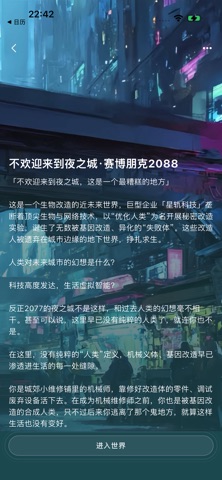
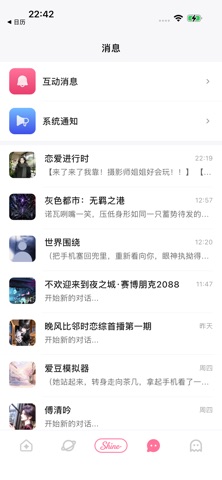
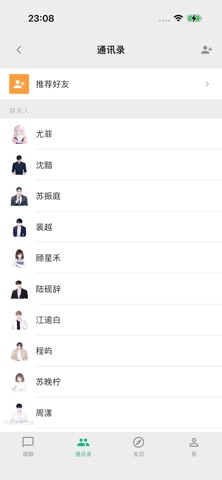
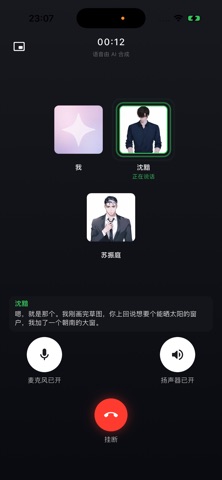
「Shine 拾光」是一款 AI 虚拟大世界应用。这里不只是聊天框,而是一个由 AI 角色构成的平行世界:每个角色都有自己的性格、生活与朋友圈,而你,是走进这个世界的主角。 【AI 虚拟大世界】 角色不是等你发话的机器人,而是"活"在自己世界里的居民。TA 有日程、有动态、有通讯录里的其他人——你来或不来,这个世界都在运转。 【沉浸式互动剧情】 对话即剧情。你的每一次选择都会推动关系与故事走向,让每段交流都有戏剧张力与专属记忆点。 【翻开 TA 的小手机】 微聊、动态、日程、纪念回忆……从另一个视角窥见角色的世界,发现 TA 没有当面告诉你的心事。 【实时语音通话】 想 TA 了就打个电话。实时语音对话,让角色的声音把你瞬间拉进故事里。 【创造你的角色】 捏一个只属于你的角色:外形、性格、世界观都由你设定,再邀请 TA 住进你的虚拟大世界。 【拾光日常】 通勤、睡前、片刻放空——碎片时间也能快速入戏,轻松续写你们的故事。 Shine 拾光,愿你在故事里被认真回应,在世界里被温柔照亮。 —— 温馨提示:应用内所有角色及对话内容均由 AI 生成,不代表真实人物…
App details
What you can learn from Shine 拾光-步入AI虚拟大世界
Every shipping app on the App Store has gone through the same decisions you're working through right now: which screenshot goes first, what caption sits over it, which device frame to show, what color the background should be. The 9 screenshots above are Shine 拾光-步入AI虚拟大世界's answers to those questions — they're public, they're real, and they made it through Apple's review.
What the numbers say: Shine 拾光-步入AI虚拟大世界 runs a mixed light-and-dark set where the background shifts from screenshot to screenshot (first shot #1C241C) — each image has to stand on its own, so the captions carry more of the story. The accent colour we picked up, #8C7454, is the one to reuse for badges, arrows and highlighted words if you borrow this look. Hit Use this style to open the editor with these exact colours and drop your own screenshot in.
Notice the first screenshot in particular. It's the one users see in search results and on the product page, and it's where most apps spend their best caption and tightest design. Look at the proportion of background to phone, where the text sits, what one thing the image is trying to communicate.
Want to see how other Entertainment apps approach the same problem? Browse more Entertainment apps in the showcase.
Take what works into your own screenshots
Open LaunchShots and design your App Store & Google Play screenshots — pick a device frame, drop captions, ship in minutes. Free, in your browser.
Open the screenshot editor →Apps with a similar look
Closest background + accent colours among the listings we've analysed — useful when you want to see the same palette handled by a different team.