Chart position — tracked daily by LaunchShots
Screenshot style breakdown
Sampled from 5 of 勇士之心's App Store screenshots — background, accent and theme, measured by LaunchShots (not something Apple publishes).
#040404 bg
#272727
#6CA4D4 accent
#FFFFFF text
Screenshots

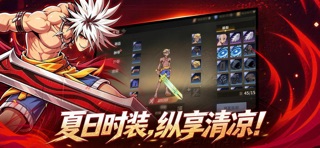


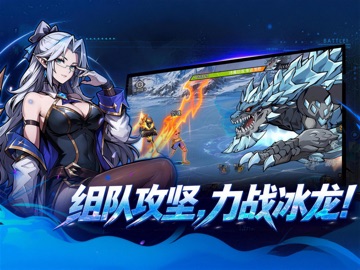
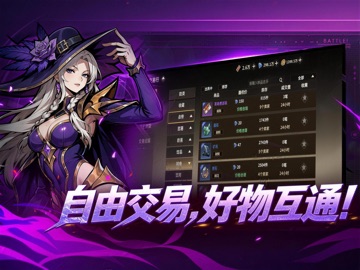
iPad screenshots



Icon palette
About this app
操控勇士深入奇幻地下城,走位、放技能、连击连招,打击感拉满,每一刀都爽到极致! 《勇士之心》— 热血横版格斗,经典重燃! 【热血动作 · 极致战斗体验】 经典横版格斗玩法全面回归!灵活走位、精准释放技能,连击顺滑如丝、打击反馈扎实有力,新手也能迅速上手,一秒进入爽战状态! 【奇幻地下城 · 层层挑战等你破】 熟悉的地下城江湖,每一关都有专属怪物阵容与强力首领坐镇,闯关热血不断升温,越玩越停不下来! 【极简操作 · 上手即享纯粹快乐】 操作化繁为简,零门槛快速沉浸——无论你是初次体验的新手,还是久经沙场的老玩家,都能立刻找回那份最纯粹的动作闯关乐趣!
App details
What you can learn from 勇士之心
Every shipping app on the App Store has gone through the same decisions you're working through right now: which screenshot goes first, what caption sits over it, which device frame to show, what color the background should be. The 10 screenshots above are 勇士之心's answers to those questions — they're public, they're real, and they made it through Apple's review.
What the numbers say: 勇士之心 runs a dark set where the background shifts from screenshot to screenshot (first shot #040404) — each image has to stand on its own, so the captions carry more of the story. The accent colour we picked up, #6CA4D4, is the one to reuse for badges, arrows and highlighted words if you borrow this look. Hit Use this style to open the editor with these exact colours and drop your own screenshot in.
Notice the first screenshot in particular. It's the one users see in search results and on the product page, and it's where most apps spend their best caption and tightest design. Look at the proportion of background to phone, where the text sits, what one thing the image is trying to communicate.
Want to see how other Games apps approach the same problem? Browse more Games apps in the showcase.
Take what works into your own screenshots
Open LaunchShots and design your App Store & Google Play screenshots — pick a device frame, drop captions, ship in minutes. Free, in your browser.
Open the screenshot editor →Apps with a similar look
Closest background + accent colours among the listings we've analysed — useful when you want to see the same palette handled by a different team.