Screenshot style breakdown
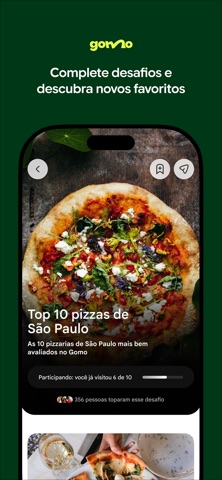
Sampled from 6 of Gomo - Guia de restaurantes's App Store screenshots — background, accent and theme, measured by LaunchShots (not something Apple publishes).
#043414 bg
#275034
#6C3C24 accent
#FFFFFF text
Screenshots
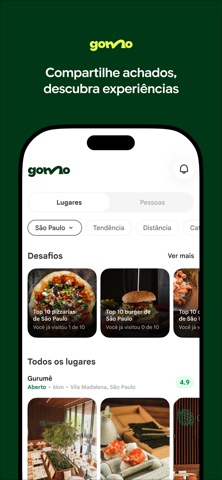

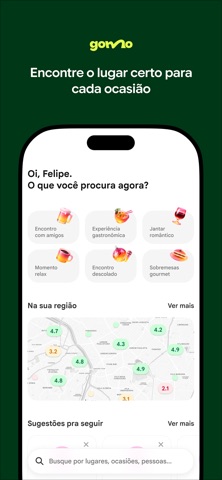
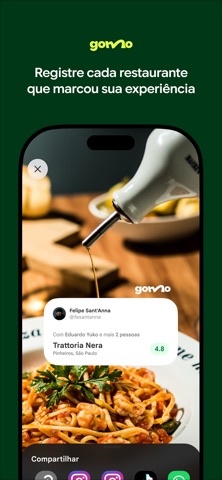
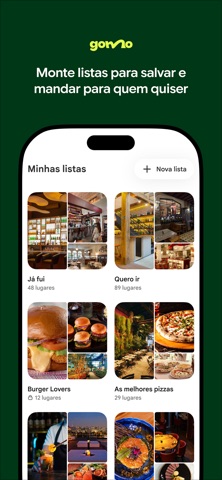
Icon palette
About this app
Escolher um restaurante não deveria ser tão difícil. Mas hoje você depende de avaliações de desconhecidos, posts perdidos no feed e conversas em grupo que nunca chegam a lugar nenhum. O Gomo resolve isso. Aqui você vê onde seus amigos comem de verdade, o que eles acharam e o que recomendam. Sem avaliação anônima. Sem nota inflada. Só a opinião de quem você conhece e confia. Avalie restaurantes que você visitou e registre seu gosto. Siga seus amigos e descubra os lugares favoritos deles. Crie e compartilhe listas como seus melhores japoneses, brunchs de domingo ou achados de viagem. Entre em desafios e veja quem do seu grupo conhece mais lugares. Encontre o lugar certo para cada ocasião: almoço rápido, jantar especial, happy hour ou saída com amigos. Seu próximo restaurante favorito provavelmente já foi descoberto por alguém que você conhece. No Gomo, essa indicação está sempre acessí…
App details
What you can learn from Gomo - Guia de restaurantes
Every shipping app on the App Store has gone through the same decisions you're working through right now: which screenshot goes first, what caption sits over it, which device frame to show, what color the background should be. The 6 screenshots above are Gomo - Guia de restaurantes's answers to those questions — they're public, they're real, and they made it through Apple's review.
What the numbers say: Gomo - Guia de restaurantes runs a dark set with one background colour (#043414) carried across every screenshot — the listing reads as a single poster when the shots sit side by side in search results. The accent colour we picked up, #6C3C24, is the one to reuse for badges, arrows and highlighted words if you borrow this look. Hit Use this style to open the editor with these exact colours and drop your own screenshot in.
Notice the first screenshot in particular. It's the one users see in search results and on the product page, and it's where most apps spend their best caption and tightest design. Look at the proportion of background to phone, where the text sits, what one thing the image is trying to communicate.
Want to see how other Food & Drink apps approach the same problem? Browse more Food & Drink apps in the showcase.
Take what works into your own screenshots
Open LaunchShots and design your App Store & Google Play screenshots — pick a device frame, drop captions, ship in minutes. Free, in your browser.
Open the screenshot editor →Apps with a similar look
Closest background + accent colours among the listings we've analysed — useful when you want to see the same palette handled by a different team.