Screenshot style breakdown
Sampled from 4 of 美食高手:我在大饭店里学厨技's App Store screenshots — background, accent and theme, measured by LaunchShots (not something Apple publishes).
#FCF4EC bg
#DDD6CF
#8CBCEC accent
#111111 text
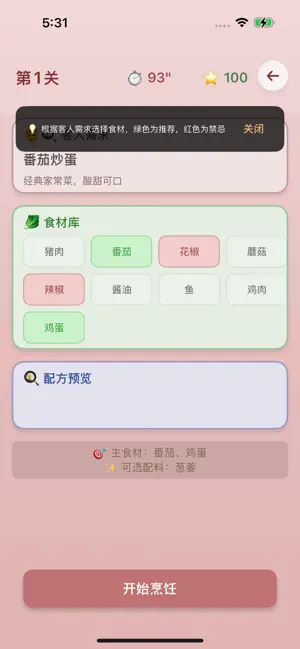
- #2番茄 炒 蛋 经 典 家 常 菜 , 酸 甜 可 口
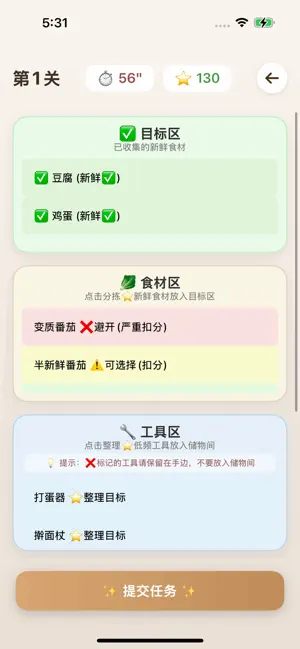
- #3第 1 关 & 56" wc 130 « 已 收集 的 新 鲜 食 材
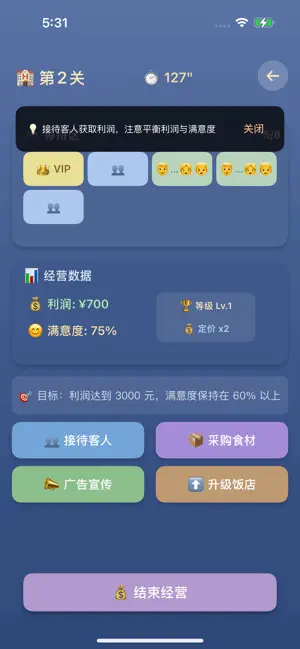
- #45:31 = iy 第 2 关 ® 127" 所 接待 客人 获取 利润 , 注 意 平衡 利润 与 满意 度
Captions read from the screenshots (OCR, may contain small errors): 3 headlines, 16.3 words on average (longest 21).
Screenshots
Icon palette
About this app
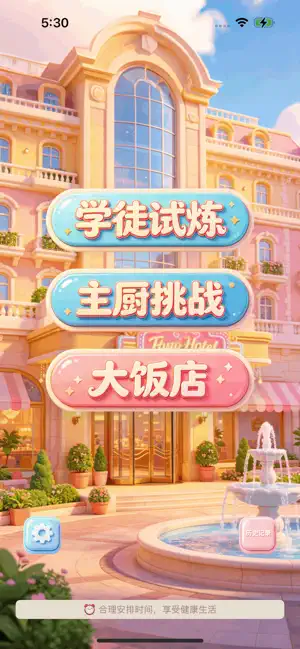
一款融合趣味、策略与经营的美食主题小游戏 ——— 游戏特色 ——— 学徒试炼:开启你的厨艺之路 从食材分拣开始,学会辨别新鲜、半鲜与变质食材,整理高频与低频工具,在时间限制内完成任务,练就一双火眼金睛! 主厨挑战:配方推导大师 根据客人需求,精准选择主食材,搭配可选配料,避开禁忌食材,制作出一道道色香味俱全的美味佳肴!番茄炒蛋、宫保鸡丁、麻婆豆腐…15道经典名菜等你来挑战! 大饭店经营:策略经营之道 从一间小餐馆起步,接待不同类型的客人,合理定价、广告宣传、升级餐厅,提升满意度与营业额,打造属于你的餐饮帝国! ——— 游戏亮点 ——— 三种完全不同的游戏模式,满足各种玩家喜好 从简单到困难,层层递进的关卡设计 精美UI设计,高级成熟风格,视觉享受 本地数据保存,进度不丢失 成就系统,收集属于你的荣誉 轻松上手,趣味无限 ——— 温馨提示 ——— 合理安排时间,享受健康生活
App details
What you can learn from 美食高手:我在大饭店里学厨技
Every shipping app on the App Store has gone through the same decisions you're working through right now: which screenshot goes first, what caption sits over it, which device frame to show, what color the background should be. The 4 screenshots above are 美食高手:我在大饭店里学厨技's answers to those questions — they're public, they're real, and they made it through Apple's review.
What the numbers say: 美食高手:我在大饭店里学厨技 runs a mixed light-and-dark set where the background shifts from screenshot to screenshot (first shot #FCF4EC) — each image has to stand on its own, so the captions carry more of the story. The accent colour we picked up, #8CBCEC, is the one to reuse for badges, arrows and highlighted words if you borrow this look. Hit Use this style to open the editor with these exact colours and drop your own screenshot in.
Notice the first screenshot in particular. It's the one users see in search results and on the product page, and it's where most apps spend their best caption and tightest design. Look at the proportion of background to phone, where the text sits, what one thing the image is trying to communicate.
Want to see how other Games apps approach the same problem? Browse more Games apps in the showcase.
Take what works into your own screenshots
Open LaunchShots and design your App Store & Google Play screenshots — pick a device frame, drop captions, ship in minutes. Free, in your browser.
Open the screenshot editor →Apps with a similar look
Closest background + accent colours among the listings we've analysed — useful when you want to see the same palette handled by a different team.