Chart position — tracked daily by LaunchShots
Screenshot style breakdown
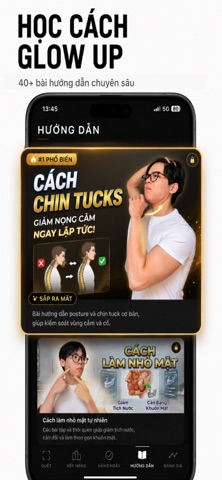
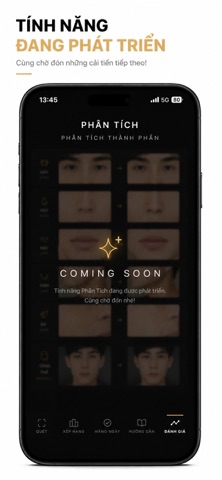
Sampled from 5 of Glowmax VN's App Store screenshots — background, accent and theme, measured by LaunchShots (not something Apple publishes).
#F4F4F4 bg
#D6D6D6
#B46C4C accent
#111111 text
Screenshots



Icon palette
About this app
CÁCH DÙNG GLOWMAX: 1) Chụp ảnh chính diện 2) AI phân tích khuôn mặt trong 30 giây 3) Nhận điểm PSL, xếp hạng & lộ trình cải thiện Glowmax phân tích 48 chỉ số thẩm mỹ khuôn mặt và cho bạn biết chính xác cần cải thiện gì — từ tỉ lệ hàm, mắt, mũi đến da và tóc. Không phải app selfie filter. Đây là công cụ giúp bạn hiểu khuôn mặt mình theo khoa học thẩm mỹ và hành động cụ thể mỗi ngày. Góp ý hoặc thắc mắc: mindang1905@gmail.com LƯU Ý: Kết quả phân tích chỉ mang tính tham khảo về thẩm mỹ, KHÔNG phải tư vấn y tế. Hãy gặp bác sĩ nếu có vấn đề về da hoặc sức khoẻ. KẾT QUẢ PHÂN TÍCH CHUYÊN SÂU YÊU CẦU ĐĂNG KÝ PREMIUM Chính sách bảo mật (Privacy Policy): https://glowmaxx-three.vercel.app/privacy Điều khoản sử dụng (Terms of Use): https://glowmaxx-three.vercel.app/terms
App details
What you can learn from Glowmax VN
Every shipping app on the App Store has gone through the same decisions you're working through right now: which screenshot goes first, what caption sits over it, which device frame to show, what color the background should be. The 5 screenshots above are Glowmax VN's answers to those questions — they're public, they're real, and they made it through Apple's review.
What the numbers say: Glowmax VN runs a light set with one background colour (#F4F4F4) carried across every screenshot — the listing reads as a single poster when the shots sit side by side in search results. The accent colour we picked up, #B46C4C, is the one to reuse for badges, arrows and highlighted words if you borrow this look. Hit Use this style to open the editor with these exact colours and drop your own screenshot in.
Notice the first screenshot in particular. It's the one users see in search results and on the product page, and it's where most apps spend their best caption and tightest design. Look at the proportion of background to phone, where the text sits, what one thing the image is trying to communicate.
Want to see how other Health & Fitness apps approach the same problem? Browse more Health & Fitness apps in the showcase.
Take what works into your own screenshots
Open LaunchShots and design your App Store & Google Play screenshots — pick a device frame, drop captions, ship in minutes. Free, in your browser.
Open the screenshot editor →Apps with a similar look
Closest background + accent colours among the listings we've analysed — useful when you want to see the same palette handled by a different team.